
bgg-mcp
MCP server for BoardGameGeek, enabling board game search, details, collections, user profiles, prices, and recommendations through natural language.
README
<p align="center"> <img src="images/bgg-mcp-logo.png" width="200" alt="BGG MCP Logo"> </p> <h1 align="center">BGG MCP: BoardGameGeek MCP Server</h1>
<p align="center"> <a href="https://archestra.ai/mcp-catalog/kkjdaniel__bgg-mcp"><img src="https://archestra.ai/mcp-catalog/api/badge/quality/kkjdaniel/bgg-mcp" alt="trust score badge"></a> <a href="https://github.com/modelcontextprotocol/registry"><img src="https://img.shields.io/badge/MCP_Registry-BGG_MCP-green" alt="MCP Registry"></a> <br> <a href="https://go.dev/"><img src="https://img.shields.io/github/go-mod/go-version/kkjdaniel/bgg-mcp" alt="Go Version"></a> <a href="LICENSE"><img src="https://img.shields.io/github/license/kkjdaniel/bgg-mcp" alt="License"></a> <a href="https://modelcontextprotocol.io"><img src="https://img.shields.io/badge/MCP-Protocol-blue" alt="MCP Protocol"></a> </p>
BGG MCP provides access to the BoardGameGeek API through the Model Context Protocol, enabling retrieval and filtering of board game data, user collections, and profiles. The server is implemented in Go, using the GoGeek library, which helps ensure robust API interactions.
Price data is provided by BoardGamePrices.co.uk, offering real-time pricing from multiple retailers.
Game recommendations are powered by Recommend.Games, which provides algorithmic similarity recommendations based on BoardGameGeek data.
<a href="https://boardgamegeek.com/"> <img src="images/powered-bgg.webp" width="160" alt="Powered by BGG"> </a>
Demo
<div align="center">
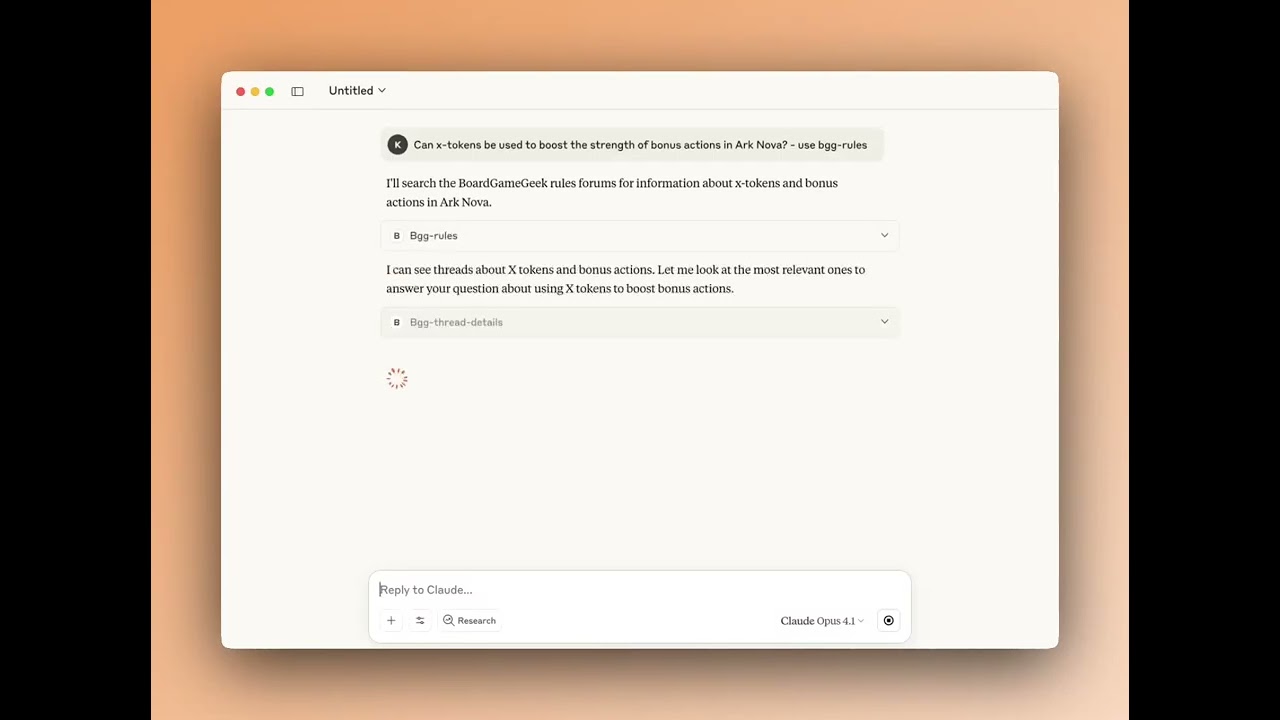
▶️ Watch the Rules Tool Demo Video
</div>
Tools
Core Tools
| Tool | Description |
|---|---|
bgg-search |
Search for board games with type filtering (base games, expansions, or all) |
bgg-details |
Get detailed information about a specific board game |
bgg-collection |
Query and filter a user's game collection with extensive filtering options |
bgg-hot |
Get the current BGG hotness list |
bgg-user |
Get user profile information |
bgg-price |
Get current prices from multiple retailers using BGG IDs |
bgg-trade-finder |
Find trading opportunities between two BGG users |
bgg-recommender |
Get game recommendations based on similarity to a specific game |
bgg-thread-details |
Get the full content of a specific BGG forum thread including all posts |
🧪 Experimental Tools
| Tool | Description |
|---|---|
bgg-rules |
Answer rules questions by searching BGG forums for relevant discussions and clarifications |
Resources
BGG MCP exposes resources that AI assistants can access directly for contextual information:
| Resource | URI | Description |
|---|---|---|
BGG Hotness |
bgg://hotness |
Current BGG hotness list, always available |
My BGG Collection |
bgg://my-collection |
Your personal BGG collection (requires BGG_USERNAME to be set) |
Prompts
BGG MCP includes pre-configured prompts for common workflows:
| Prompt | Description |
|---|---|
Trade Sales Post |
Generate a formatted sales post for your BGG 'for trade' collection with discounted market prices |
Game Recommendations |
Get personalized game recommendations based on your BGG collection and preferences |
Example Prompts
Here are some example prompts you can use to interact with the BGG MCP tools:
🔍 Search
"Search for Wingspan on BGG"
"How many expansions does Grand Austria Hotel have?"
"Search for Wingspan expansions only"
📊 Game Details
"Get details for Azul"
"Show me information about game ID 224517"
"What's the BGG rating for Gloomhaven?"
📚 Collection
"Show me ZeeGarcia's game collection"
"Show games rated 9+ in kkjdaniel's collection"
"List unplayed games in rahdo's collection"
"Find games for 6 players in kkjdaniel's collection"
"Show me all the games rated 3 and below in my collection"
"What games in my collection does rahdo want?"
"What games does kkjdaniel have that I want?"
🔥 Hotness
"Show me the current BGG hotness list"
"What's trending on BGG?"
👤 User Profile
"Show me details about BGG user rahdo"
"When did user ZeeGarcia join BGG?"
"How many buddies do I have on bgg?"
💰 Prices
"Get the best price for Wingspan in GBP"
"Show me the best UK price for Ark Nova"
"Compare prices for: Wingspan & Ark Nova"
🎯 Recommendations
"Recommend games similar to Wingspan"
"What games are like Azul but with at least 1000 ratings?"
"Find 5 games similar to Troyes"
📖 Rules (Experimental)
"[Your rules question about any board game] - use bgg-rules"
"How does [game mechanic] work in [game name]? use bgg-rules"
"Can I [specific action] in [game name]? use bgg-rules"
"What happens when [situation] in [game name]? use bgg-rules"
Note: Include "use bgg-rules" in your question to ensure the AI searches BGG forums for answers.
Installation
Authentication Required: Most BGG MCP tools require authentication to access BoardGameGeek's API. See the Configuration section below for setup instructions.
A) Docker (Recommended)
BGG MCP is published to Docker Hub and listed on the MCP Registry. Add the following to your claude_desktop_config.json (Claude Desktop) or settings.json (VS Code / Cursor):
"bgg": {
    "command": "docker",
    "args": ["run", "-i", "--rm",
        "-e", "BGG_API_KEY",
        "-e", "BGG_USERNAME",
        "kdaniel/bgg-mcp"
    ],
    "env": {
        "BGG_API_KEY": "your_api_key_here",
        "BGG_USERNAME": "your_bgg_username"
    }
}
See Configuration below for details on obtaining a BGG API key and setting up your username.
For more details on connecting MCP servers to your client, see the official MCP guide.
B) Manual Setup
1. Install Go
You will need to have Go installed on your system to build binary. This can be easily downloaded and setup here, or you can use the package manager that you prefer such as Brew.
2. Build
The project includes a Makefile to simplify building and managing the binary.
# Build the application (output goes to build/bgg-mcp)
make build

# Clean build artifacts
make clean

# Both clean and build
make all
Or you can simply build it directly with Go...
go build -o build/bgg-mcp
3. Add MCP Config
In the settings.json (VS Code / Cursor) or claude_desktop_config.json add the following to your list of servers, pointing it to the binary you created earlier, once you load up your AI tool you should see the tools provided by the server connected:
"bgg": {
    "command": "path/to/build/bgg-mcp",
    "args": ["-mode", "stdio"]
}
More details for configuring Claude can be found here.
Configuration
Authentication
BGG MCP v2.0+ uses the GoGeek v2.0 library which requires authentication for reliable access to BoardGameGeek's API.
You can configure authentication using either BGG_API_KEY (recommended) or BGG_COOKIE:
Authentication Setup
Option 1: API Key (Recommended)
Get an API key from BoardGameGeek's API application form and add it to your configuration:
"bgg": {
    "env": {
        "BGG_API_KEY": "your_api_key_here"
    }
}
Option 2: Cookie Authentication
Alternatively, you can use cookie-based authentication:
"bgg": {
    "env": {
        "BGG_COOKIE": "bggusername=user; bggpassword=pass; SessionID=xyz"
    }
}
Note: If both are provided, BGG_API_KEY will be used by default.
Username Configuration
You can optionally set the BGG_USERNAME environment variable to enable "me" and "my" references in queries without needing to explicitly state your username:
"bgg": {
    "env": {
        "BGG_USERNAME": "your_bgg_username",
        "BGG_API_KEY": "your_api_key_here"
    }
}
This enables:
- Collection queries: "Show my collection" instead of specifying your username
- User queries: "Show my BGG profile"
- AI assistance: The AI can automatically use your username for comparisons and analysis
Note: When you use self-references (me, my, I) without setting BGG_USERNAME, you'll get a clear error message.
推荐服务器

Baidu Map
百度地图核心API现已全面兼容MCP协议,是国内首家兼容MCP协议的地图服务商。

Playwright MCP Server
一个模型上下文协议服务器,它使大型语言模型能够通过结构化的可访问性快照与网页进行交互,而无需视觉模型或屏幕截图。

Magic Component Platform (MCP)
一个由人工智能驱动的工具,可以从自然语言描述生成现代化的用户界面组件,并与流行的集成开发环境(IDE)集成,从而简化用户界面开发流程。

Audiense Insights MCP Server
通过模型上下文协议启用与 Audiense Insights 账户的交互,从而促进营销洞察和受众数据的提取和分析,包括人口统计信息、行为和影响者互动。

VeyraX
一个单一的 MCP 工具,连接你所有喜爱的工具:Gmail、日历以及其他 40 多个工具。

graphlit-mcp-server
模型上下文协议 (MCP) 服务器实现了 MCP 客户端与 Graphlit 服务之间的集成。 除了网络爬取之外,还可以将任何内容(从 Slack 到 Gmail 再到播客订阅源)导入到 Graphlit 项目中,然后从 MCP 客户端检索相关内容。

Kagi MCP Server
一个 MCP 服务器,集成了 Kagi 搜索功能和 Claude AI,使 Claude 能够在回答需要最新信息的问题时执行实时网络搜索。

e2b-mcp-server
使用 MCP 通过 e2b 运行代码。

Neon MCP Server
用于与 Neon 管理 API 和数据库交互的 MCP 服务器

Exa MCP Server
模型上下文协议(MCP)服务器允许像 Claude 这样的 AI 助手使用 Exa AI 搜索 API 进行网络搜索。这种设置允许 AI 模型以安全和受控的方式获取实时的网络信息。