
cyntrisec
A local-first AWS security tool that uses graph theory to discover attack paths (e.g., Internet → Role → DB) and prioritize remediations. It allows agents to perform read-only security audits and generate Terraform fixes without data exfiltration.
README
Cyntrisec CLI





[!CAUTION] Beta Software Disclaimer: This tool is currently in BETA. It is provided "as is", without warranty of any kind. While Cyntrisec is a read-only analysis tool by default, the user assumes all responsibility for any actions taken based on its findings. Always review generated remediation plans and Terraform code before application.
AWS capability graph analysis and attack path discovery.
A read-only CLI tool that:
- Scans AWS infrastructure via AssumeRole
- Builds a capability graph (IAM, network, dependencies)
- Discovers attack paths from internet to sensitive targets
- Prioritizes fixes by ROI (security impact + cost savings)
- Identifies unused capabilities (blast radius reduction)
- Outputs deterministic JSON with proof chains
Demo
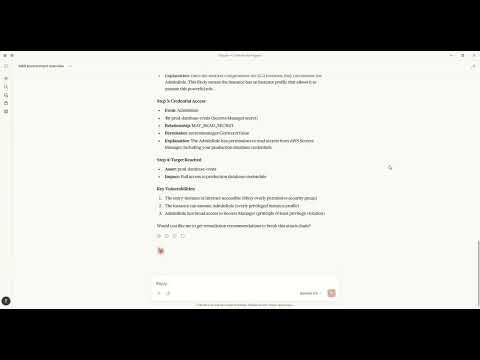
Watch how to discover attack paths and generate fixes using natural language with Claude MCP.
Architecture
+----------------------------------------------------------------------------------+
|                                   CYNTRISEC CLI                                   |
+----------------------------------------------------------------------------------+
| CLI Layer (Typer)                                                                 |
|   scan   analyze   cuts   waste   report   comply   can   diff   serve   ...      |
+-----------------------------+----------------------------------------------------+
| Core Engine                 | Storage (local)                                     |
|  - AWS collectors           |  ~/.cyntrisec/scans/<scan_id>/                      |
|  - Normalization/schema     |    snapshot.json, assets.json, relationships.json   |
|  - GraphBuilder -> AwsGraph |    findings.json, attack_paths.json                 |
|  - Path search -> paths     |  ~/.cyntrisec/scans/latest -> <scan_id>             |
|  - Min-cut + Cost (ROI)     |  (Windows fallback: latest is a file)               |
+-----------------------------+----------------------------------------------------+
| Outputs: JSON/agent, HTML report, remediation plan + Terraform hints              |
+----------------------------------------------------------------------------------+
<!-- Legacy Unicode diagram (kept for reference; may render oddly in some environments) --> <!--
┌─────────────────────────────────────────────────────────────────────────────┐
│                              CYNTRISEC CLI                                  │
├─────────────────────────────────────────────────────────────────────────────┤
│                                                                             │
│  ┌─────────────────────────────────────────────────────────────────────┐    │
│  │                         CLI Layer (typer)                           │    │
│  │  ┌─────────┐ ┌─────────┐ ┌─────────┐ ┌─────────┐ ┌─────────┐        │    │
│  │  │  scan   │ │ analyze │ │  cuts   │ │  waste  │ │ report  │ ...    │    │
│  │  └────┬────┘ └────┬────┘ └────┬────┘ └────┬────┘ └────┬────┘        │    │
│  └───────┼──────────┼──────────┼──────────┼──────────┼─────────────────┘    │
│          │          │          │          │          │                      │
│  ┌───────▼──────────▼──────────▼──────────▼──────────▼────────────────┐     │
│  │                         Core Engine                                │     │
│  │  ┌──────────────┐  ┌──────────────┐  ┌──────────────┐              │     │
│  │  │    Graph     │  │    Paths     │  │  Compliance  │              │     │
│  │  │  (AwsGraph)  │  │  (BFS/DFS)   │  │  (CIS/SOC2)  │              │     │
│  │  └──────────────┘  └──────────────┘  └──────────────┘              │     │
│  │  ┌──────────────┐  ┌──────────────┐  ┌──────────────┐              │     │
│  │  │    Cuts      │  │    Waste     │  │  Simulator   │              │     │
│  │  │  (ROI/Min)   │  │  (Unused)    │  │  (IAM Eval)  │              │     │
│  │  └──────────────┘  └──────────────┘  └──────────────┘              │     │
│  │  ┌──────────────┐                                                  │     │
│  │  │ Cost Engine  │                                                  │     │
│  │  │ (Estimator)  │                                                  │     │
│  │  └──────────────┘                                                  │     │
│  └────────────────────────────────────────────────────────────────────┘     │
│          │                                                                  │
│  ┌───────▼────────────────────────────────────────────────────────────┐     │
│  │                         AWS Layer                                  │     │
│  │  ┌──────────────┐  ┌──────────────┐  ┌──────────────┐              │     │
│  │  │  Collectors  │  │  Normalizers │  │ Relationship │              │     │
│  │  │  (EC2, IAM,  │  │  (Asset →    │  │   Builder    │              │     │
│  │  │   RDS, ...)  │  │   Schema)    │  │              │              │     │
│  │  └──────────────┘  └──────────────┘  └──────────────┘              │     │
│  └────────────────────────────────────────────────────────────────────┘     │
│          │                                          │                       │
│  ┌───────▼──────────────────────┐   ┌──────────────▼──────────────────┐     │
│  │      Storage Layer           │   │         MCP Server              │     │
│  │  ┌────────────┐ ┌─────────┐  │   │  ┌──────────────────────────┐   │     │
│  │  │ Filesystem │ │ Memory  │  │   │  │  Tools: get_scan_summary │   │     │
│  │  │ (~/.cyntri │ │ (tests) │  │   │  │  get_attack_paths, ...   │   │     │
│  │  │   sec/)    │ │         │  │   │  └──────────────────────────┘   │     │
│  │  └────────────┘ └─────────┘  │   │                                 │     │
│  └──────────────────────────────┘   └─────────────────────────────────┘     │
│                                                                             │
└─────────────────────────────────────────────────────────────────────────────┘
                                      │
                                      ▼
┌─────────────────────────────────────────────────────────────────────────────┐
│                            AWS Account                                      │
│  ┌─────────────┐  ┌─────────────┐  ┌─────────────┐  ┌─────────────┐         │
│  │     IAM     │  │     EC2     │  │     RDS     │  │     S3      │  ...    │
│  │  (Roles,    │  │ (Instances, │  │ (Databases) │  │  (Buckets)  │         │
│  │  Policies)  │  │  SGs, VPCs) │  │             │  │             │         │
│  └─────────────┘  └─────────────┘  └─────────────┘  └─────────────┘         │
└─────────────────────────────────────────────────────────────────────────────┘
-->
Data Flow
CLI (scan) --AssumeRole--> AWS Session --Describe/Get/List--> AWS APIs (read-only)
     |
     v
Collectors -> normalize -> Assets + Relationships -> AwsGraph
                                                |
                                                v
                                   Attack path search (BFS/DFS)
                                                |
                                                v
                                   Min-cut (remediation cuts)
                                                |
                                                v
                                      Cost engine (ROI)

Local artifacts: ~/.cyntrisec/scans/<scan_id>/*.json
<!-- Legacy Unicode diagram (kept for reference; may render oddly in some environments) --> <!--
┌──────────┐    AssumeRole     ┌──────────┐    Describe/Get/List     ┌─────────┐
│   CLI    │ ─────────────────▶│   AWS    │ ◀─────────────────────▶│  APIs   │
│  (scan)  │                   │  Session │                          │(read-only)
└────┬─────┘                   └──────────┘                          └─────────┘
     │
     ▼
┌──────────┐    normalize      ┌──────────┐    build edges    ┌──────────────┐
│Collectors│ ─────────────────▶│  Assets  │ ─────────────────▶│Relationships│
└──────────┘                   └──────────┘                   └──────┬───────┘
                                                                     │
     ┌───────────────────────────────────────────────────────────────┐
     ▼
┌──────────┐    BFS/DFS        ┌──────────┐    min-cut        ┌──────────────┐
│ AwsGraph │ ─────────────────▶│  Attack  │ ─────────────────▶│ Remediation │
│          │                   │  Paths   │                   │    Cuts      │
└──────────┘                   └──────────┘                   └──▲───────────┘
                                                                 │ (ROI)
                                                          ┌──────┴───────┐
                                                          │ Cost Engine  │
                                                          └──────────────┘
-->
Installation
pip install cyntrisec
Windows PATH Fix
If you see "cyntrisec is not recognized", the Scripts folder isn't on PATH:
# Option 1: Run with python -m
python -m cyntrisec --help

# Option 2: Add to PATH for current session
$env:PATH += ";$env:APPDATA\Python\Python311\Scripts"
Quick Start
Prerequisite: Ensure you have AWS CLI installed and configured with credentials (e.g.,
aws configure) or environment variables set.terraformis required for the setup step.
# 1. Create the read-only IAM role in your account
cyntrisec setup iam 123456789012 --output role.tf

# 2. Apply the Terraform
cd your-infra && terraform apply

# 3. Run a scan
cyntrisec scan --role-arn arn:aws:iam::123456789012:role/CyntrisecReadOnly

# 4. View attack paths
cyntrisec analyze paths --min-risk 0.5

# 5. Find minimal fixes (prioritized by ROI)
cyntrisec cuts --format json

# 6. Generate HTML report
cyntrisec report --output report.html
Commands
Core Analysis
| Command | Description |
|---|---|
scan |
Scan AWS infrastructure |
analyze paths |
View attack paths |
analyze findings |
View security findings |
analyze stats |
View scan statistics |
analyze business |
Business entrypoint analysis |
report |
Generate HTML/JSON report |
Setup & Validation
| Command | Description |
|---|---|
setup iam |
Generate IAM role Terraform |
validate-role |
Validate IAM role permissions |
Remediation
| Command | Description |
|---|---|
cuts |
Find minimal fixes (Cost & ROI prioritized) |
waste |
Find unused IAM permissions |
remediate |
Generate or optionally apply Terraform plans (gated) |
Policy Testing
| Command | Description |
|---|---|
can |
Test "can X access Y?" |
diff |
Compare scan snapshots |
comply |
Check CIS AWS / SOC2 compliance |
Agentic Interface
| Command | Description |
|---|---|
manifest |
Output machine-readable capabilities |
explain |
Natural language explanations |
ask |
Query scans in plain English |
serve |
Run as MCP server for AI agents |
MCP Server Mode
Run Cyntrisec as an MCP server for AI agent integration:
# Install with MCP support
pip install "cyntrisec[mcp]"
cyntrisec serve              # Start stdio server
cyntrisec serve --list-tools # List available tools
MCP Tools (15)
| Category | Tool | Description |
|---|---|---|
| Discovery | list_tools |
List all available tools |
set_session_snapshot |
Set active snapshot for session | |
get_scan_summary |
Get summary of latest AWS scan | |
| Assets | get_assets |
Get assets with type/name filtering |
get_relationships |
Get relationships between assets | |
get_findings |
Get security findings with severity filtering | |
| Attack Paths | get_attack_paths |
Get attack paths with risk scores |
explain_path |
Detailed hop-by-hop path breakdown | |
explain_finding |
Detailed finding explanation | |
| Remediation | get_remediations |
Find optimal fixes for attack paths |
get_terraform_snippet |
Generate Terraform code for remediation | |
| Access | check_access |
Test if principal can access resource |
get_unused_permissions |
Find unused IAM permissions | |
| Compliance | check_compliance |
Check CIS AWS or SOC 2 compliance |
compare_scans |
Compare scan snapshots |
Claude Desktop
MacOS: ~/Library/Application Support/Claude/claude_desktop_config.json
Windows: %APPDATA%\Claude\claude_desktop_config.json
{
  "mcpServers": {
    "cyntrisec": {
      "command": "python",
      "args": ["-m", "cyntrisec", "serve"]
    }
  }
}
Claude Code (CLI)
Run the following command to configure the server:
claude mcp add cyntrisec -- python -m cyntrisec serve
Google Gemini / Antigravity
Locate your agent configuration (e.g., ~/.gemini/antigravity/mcp_config.json) and add:
{
  "mcpServers": {
    "cyntrisec": {
      "command": "python",
      "args": ["-m", "cyntrisec", "serve"]
    }
  }
}
Trust & Safety
Read-Only Guarantees
This tool makes read-only API calls to your AWS account. The IAM role
should have only Describe*, Get*, List* permissions.
No Data Exfiltration
All data stays on your local machine. Nothing is sent to external servers.
Scan results are stored in ~/.cyntrisec/scans/.
No Auto-Remediation (Default Safe Mode)
By default, Cyntrisec is read-only and does not modify your AWS infrastructure.
- It analyzes your account using read-only APIs.
- It can generate remediation artifacts (e.g., Terraform modules) for you to review.
- It does not apply changes automatically.
Optional Remediation Execution (Explicit Opt-In)
Cyntrisec includes an explicitly gated path that can execute Terraform only if you intentionally enable it.
This mode is:
- Disabled by default
- Requires
--enable-unsafe-write-mode - Requires an additional explicit flag (e.g.
--execute-terraform) to run Terraform - Intended for controlled environments (sandbox / CI with approvals), not unattended production
If you do not pass these flags, Cyntrisec will never run terraform apply.
Write Operations
Cyntrisec makes no AWS write API calls during scanning and analysis.
The only supported "write" behavior is optional execution of Terraform locally on your machine, and only when explicitly enabled via unsafe flags.
Every AWS API call is logged in CloudTrail under session name cyntrisec-cli.
Trust & Permissions
Cyntrisec runs with a read-only IAM role. Generate the recommended policy with
cyntrisec setup iam <ACCOUNT_ID> and keep permissions to Describe*, Get*,
and List*. Live modes (waste --live, can --live) require extra IAM
permissions; the generated policy and docs cover those additions.
Output Format
Primary output is JSON to stdout. When stdout is not a TTY, the CLI automatically switches to JSON:
cyntrisec analyze paths --format json | jq '.paths[] | select(.risk_score > 0.7)'
Agent-friendly output wraps results in a structured envelope:
cyntrisec analyze paths --format agent
{
  "schema_version": "1.0",
  "status": "success",
  "data": {...},
  "artifact_paths": {...},
  "suggested_actions": [...]
}
Exit Codes
| Code | Meaning |
|---|---|
| 0 | Success / compliant |
| 1 | Findings / regressions / denied |
| 2 | Usage error |
| 3 | Transient error (retry) |
| 4 | Internal error |
Use in CI/CD:
cyntrisec scan --role-arn $ROLE_ARN || exit 1
cyntrisec diff || echo "Regressions detected"
Storage
Scan results are stored locally:
~/.cyntrisec/
|-- scans/
|   |-- 2026-01-17_123456_123456789012/
|   |   |-- snapshot.json
|   |   |-- assets.json
|   |   |-- relationships.json
|   |   |-- findings.json
|   |   `-- attack_paths.json
|   `-- latest -> 2026-01-17_...
`-- config.yaml
<!-- Legacy Unicode tree (kept for reference; may render oddly in some environments) --> <!--
~/.cyntrisec/
├── scans/
│   ├── 2026-01-17_123456_123456789012/
│   │   ├── snapshot.json
│   │   ├── assets.json
│   │   ├── relationships.json
│   │   ├── findings.json
│   │   └── attack_paths.json
│   └── latest -> 2026-01-17_...
└── config.yaml
-->
Versioning
This project follows Semantic Versioning. See CHANGELOG.md for release notes.
License
Apache-2.0
Links
推荐服务器

Baidu Map
百度地图核心API现已全面兼容MCP协议,是国内首家兼容MCP协议的地图服务商。

Playwright MCP Server
一个模型上下文协议服务器,它使大型语言模型能够通过结构化的可访问性快照与网页进行交互,而无需视觉模型或屏幕截图。

Magic Component Platform (MCP)
一个由人工智能驱动的工具,可以从自然语言描述生成现代化的用户界面组件,并与流行的集成开发环境(IDE)集成,从而简化用户界面开发流程。

Audiense Insights MCP Server
通过模型上下文协议启用与 Audiense Insights 账户的交互,从而促进营销洞察和受众数据的提取和分析,包括人口统计信息、行为和影响者互动。

VeyraX
一个单一的 MCP 工具,连接你所有喜爱的工具:Gmail、日历以及其他 40 多个工具。

graphlit-mcp-server
模型上下文协议 (MCP) 服务器实现了 MCP 客户端与 Graphlit 服务之间的集成。 除了网络爬取之外,还可以将任何内容(从 Slack 到 Gmail 再到播客订阅源)导入到 Graphlit 项目中,然后从 MCP 客户端检索相关内容。

Kagi MCP Server
一个 MCP 服务器,集成了 Kagi 搜索功能和 Claude AI,使 Claude 能够在回答需要最新信息的问题时执行实时网络搜索。

e2b-mcp-server
使用 MCP 通过 e2b 运行代码。

Neon MCP Server
用于与 Neon 管理 API 和数据库交互的 MCP 服务器

Exa MCP Server
模型上下文协议(MCP)服务器允许像 Claude 这样的 AI 助手使用 Exa AI 搜索 API 进行网络搜索。这种设置允许 AI 模型以安全和受控的方式获取实时的网络信息。