
hronaut
Enables AI agents to control a persistent local browser with live tabs, navigation, interaction, inspection, and state management through MCP.
README
Hronaut
Hronaut is a visible, persistent Electron browser that exposes its live tabs to AI clients through MCP. It keeps the browser open independently of any individual AI session, so humans and agents can share the same local browsing context.
Website · Setup guide · Browser MCP guide · Downloads · Issues · Detailed reference
See Hronaut in action
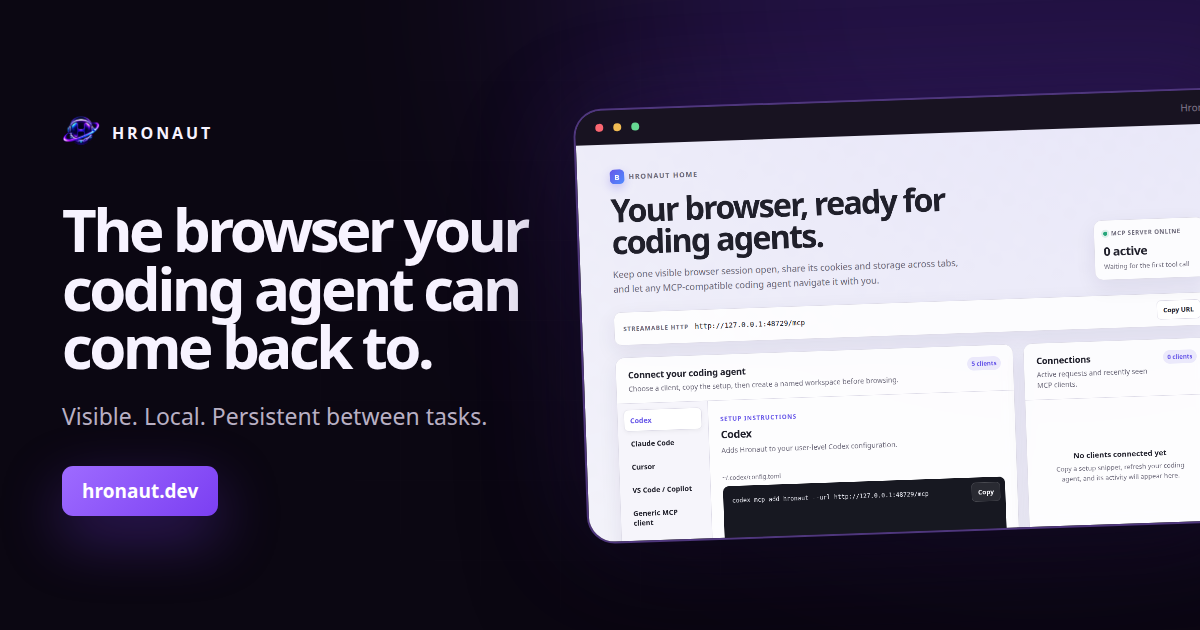
Watch the 35-second product overview, then download Hronaut for Windows, macOS, or Linux.
Not sure which browser model fits your workflow? Read the source-backed Browser MCP decision guide, which compares Hronaut with Playwright MCP, Chrome DevTools MCP, and an extension-based Browser MCP without claiming persistence is unique.
Highlights
- Persistent tabs, cookies, storage, sessions, workspaces, split views, and window state.
- Local Streamable HTTP MCP endpoint with browser navigation, interaction, inspection, diagnostics, downloads, storage, and accessibility tools.
- Multi-agent workspaces with stable UUIDv7 identities and isolated browser profiles.
- Human-interaction locks, instant MCP pause, explicit permissions, and optional bearer-token authentication.
- Built-in history, bookmarks, downloads, password vault, site controls, responsive preview, visual comparison, and Chromium diagnostics.
- Automatic update checks against public GitHub releases; downloads and installation always require user action.
- English, Ukrainian, Russian, German, French, Spanish, and Polish interface languages.
Install
Download the latest package for Windows, macOS, or Linux from GitHub Releases.
The initial release artifacts are not platform code-signed or Apple-notarized, so Windows SmartScreen or macOS Gatekeeper may show a warning. Verify downloads with the published hashes.txt file and GitHub artifact attestations.
Run from source
Requirements: Node.js 22 or newer and a graphical Linux, macOS, or Windows session.
npm install
npm run dev
Build and run the desktop application:
npm run build
npm start
Development uses a separate persistent hronaut-dev profile. Installed builds use the normal Hronaut profile.
Connect an MCP client
Start Hronaut, then configure a Streamable HTTP client with the local endpoint:
{
  "mcpServers": {
    "hronaut": {
      "url": "http://127.0.0.1:47812/mcp"
    }
  }
}
The public setup guide provides tested commands for Codex, Claude Code, Cursor, VS Code/GitHub Copilot, OpenCode, and generic MCP clients. Hronaut Home contains the current profile-specific version, including the right endpoint and authentication settings.
OpenCode
For a new Hronaut profile with MCP authentication disabled, add this server to the global ~/.config/opencode/opencode.json or a project's opencode.json:
{
  "$schema": "https://opencode.ai/config.json",
  "mcp": {
    "hronaut": {
      "type": "remote",
      "url": "http://127.0.0.1:47812/mcp",
      "enabled": true,
      "oauth": false
    }
  }
}
Start Hronaut, then verify the connection with opencode mcp list. If MCP authentication is enabled, copy the OpenCode configuration from Hronaut Home; it references the owner-only token file without placing the token in the JSON. Use opencode mcp debug hronaut to diagnose connection or authentication failures. See OpenCode's official MCP guide for the current stable schema.
The server listens only on loopback. Authentication is optional for a new profile and can be enabled under Settings → MCP security.
Development checks
npm run lint
npm test
npm run typecheck
npm run build
npm run test:integration:headless
Release packaging and publishing are centralized in .github/workflows/release.yml. Every local package command uses --publish never.
License
Hronaut is source-available under the PolyForm Noncommercial License 1.0.0. Uses not permitted by that license require an active commercial subscription license.
Outside contributions are welcome under the terms in CONTRIBUTING.md. Security reports should follow SECURITY.md.
For billing and licensing support, contact support@hronaut.dev.
Documentation
The detailed reference covers browser behavior, privacy and security boundaries, every MCP tool group, testing, packaging, and release operations.
推荐服务器

Baidu Map
百度地图核心API现已全面兼容MCP协议,是国内首家兼容MCP协议的地图服务商。

Playwright MCP Server
一个模型上下文协议服务器,它使大型语言模型能够通过结构化的可访问性快照与网页进行交互,而无需视觉模型或屏幕截图。

Magic Component Platform (MCP)
一个由人工智能驱动的工具,可以从自然语言描述生成现代化的用户界面组件,并与流行的集成开发环境(IDE)集成,从而简化用户界面开发流程。

Audiense Insights MCP Server
通过模型上下文协议启用与 Audiense Insights 账户的交互,从而促进营销洞察和受众数据的提取和分析,包括人口统计信息、行为和影响者互动。

VeyraX
一个单一的 MCP 工具,连接你所有喜爱的工具:Gmail、日历以及其他 40 多个工具。

graphlit-mcp-server
模型上下文协议 (MCP) 服务器实现了 MCP 客户端与 Graphlit 服务之间的集成。 除了网络爬取之外,还可以将任何内容(从 Slack 到 Gmail 再到播客订阅源)导入到 Graphlit 项目中,然后从 MCP 客户端检索相关内容。

Kagi MCP Server
一个 MCP 服务器,集成了 Kagi 搜索功能和 Claude AI,使 Claude 能够在回答需要最新信息的问题时执行实时网络搜索。

e2b-mcp-server
使用 MCP 通过 e2b 运行代码。

Neon MCP Server
用于与 Neon 管理 API 和数据库交互的 MCP 服务器

Exa MCP Server
模型上下文协议(MCP)服务器允许像 Claude 这样的 AI 助手使用 Exa AI 搜索 API 进行网络搜索。这种设置允许 AI 模型以安全和受控的方式获取实时的网络信息。