
image-gen-mcp
Enables coding agents to generate and edit images using Gemini and OpenAI image models, saving files directly into the project with configurable providers, models, and security restrictions.
README
image-gen-mcp


Generate and edit images from your coding agent, with your own API keys. Ask for a blog cover, a logo tweak, or a placeholder illustration, and the file lands directly in your project where the agent can read it and iterate.
Google Gemini image models (the Nano Banana family) and OpenAI GPT image models behind one interface. Configure one provider or both.
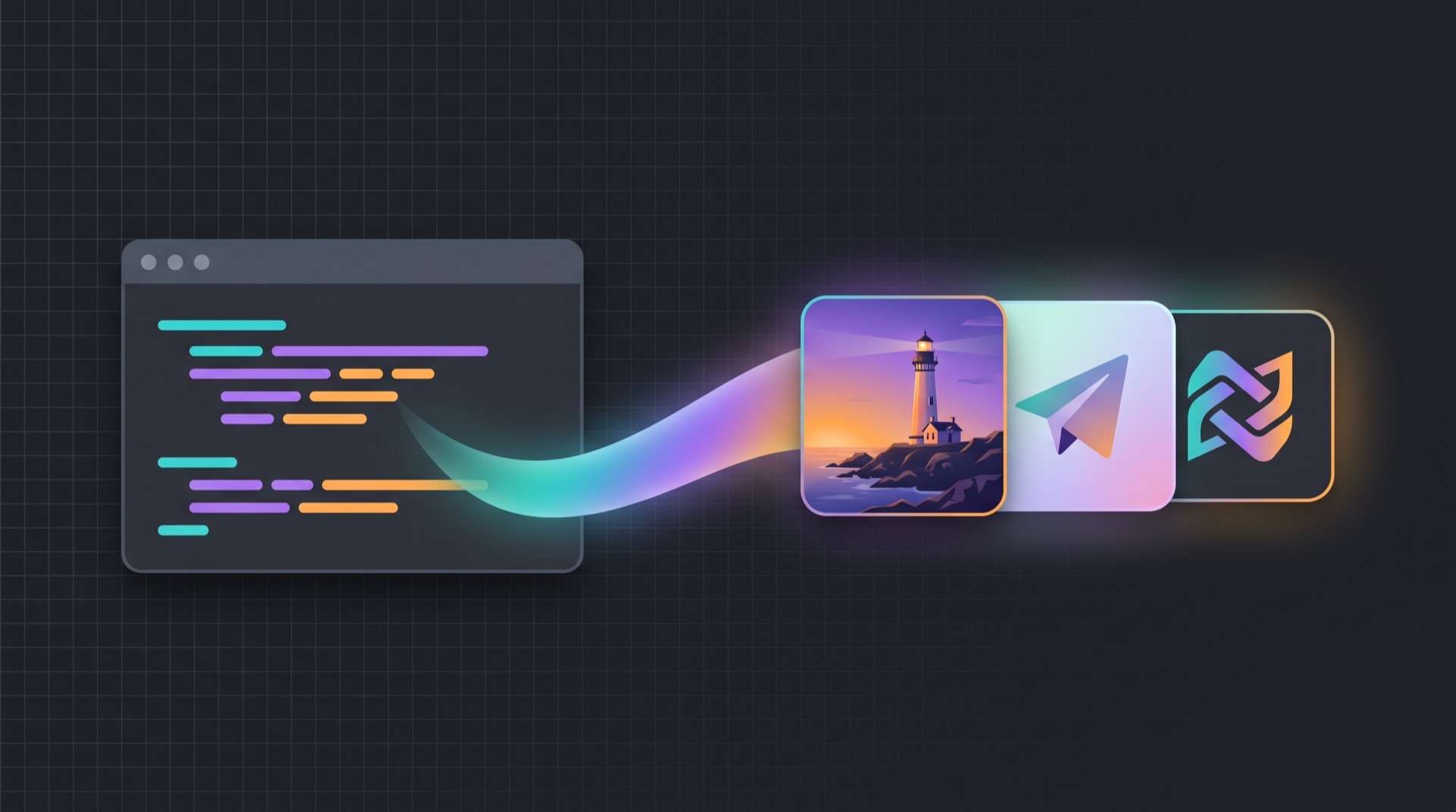
<sub>This banner and the repository's social preview card were both generated by
this server, with gemini-3.1-flash-image at 16:9 2K. Prompts are in
assets/README.md.</sub>
Install
claude mcp add image-gen --scope user \
  --env GEMINI_API_KEY=your-gemini-key \
  --env OPENAI_API_KEY=your-openai-key \
  -- npx -y @nuver-labs/image-gen-mcp
Start a new Claude Code session to pick it up, then check claude mcp list.
Three things that trip people up:
- At least one option must sit between the last
--envand the server name. Above,--scopedoes that job. Put the name straight after an--envpair and the CLI reads it as anotherKEY=value. --before the command is mandatory. Without it the server's own arguments get parsed as Claude Code's.- Drop the
--envline for any provider you do not use. You need at least one.
Get keys from Google AI Studio and the OpenAI platform.
Other clients
Same package everywhere. For .mcp.json (project scope, commit it) and Claude
Desktop (~/Library/Application Support/Claude/claude_desktop_config.json):
{
  "mcpServers": {
    "image-gen": {
      "command": "npx",
      "args": ["-y", "@nuver-labs/image-gen-mcp"],
      "env": {
        "GEMINI_API_KEY": "your-gemini-key",
        "OPENAI_API_KEY": "your-openai-key"
      }
    }
  }
}
Claude Code also accepts a per-server "timeout": 600000, which Claude Desktop
does not. Cursor uses the same shape in .cursor/mcp.json. On Windows, GUI hosts
cannot always find npx, so use "command": "cmd" with
"args": ["/c", "npx", "-y", "@nuver-labs/image-gen-mcp"].
Use it
Just ask, in plain language:
- "Generate a 16:9 hero image of a lighthouse at dusk and save it to
assets/hero.png" - "Take
public/logo.pngand give it a transparent background" - "Create 3 variations of a flat paper airplane icon, square, into
design/drafts/"
The agent calls generate_image or edit_image with an absolute output_path
inside your project, the file lands on disk, and the agent can then read the saved
path to look at the result and refine it. If a call fails, ask it to run
list_capabilities to see what is actually configured.
Tools
| Tool | What it does |
|---|---|
generate_image |
Text prompt to one or more image files. Returns the absolute saved paths. |
edit_image |
Edit or combine existing images with a text instruction. Never overwrites the sources. |
list_capabilities |
Which providers are configured, default models, and the output directory rules. |
generate_image
| Argument | Type | Notes |
|---|---|---|
prompt |
string, required | Subject, style, composition, colors, any text to render |
output_path |
string | Absolute file path (.png/.jpg/.webp) or a directory. Given a directory, the filename is slugified from the prompt |
provider |
gemini | openai |
Overrides the default provider |
model |
string | Gemini: gemini-3.1-flash-image (default), gemini-3.1-flash-lite-image, gemini-3-pro-image, gemini-2.5-flash-image. OpenAI: gpt-image-2 (default), gpt-image-1.5, gpt-image-1, gpt-image-1-mini |
aspect_ratio |
1:1 2:3 3:2 3:4 4:3 9:16 16:9 21:9 |
Exact on Gemini and gpt-image-2. Older OpenAI models approximate: landscape 1536x1024, portrait 1024x1536 |
n |
1-4 | Gemini generates sequentially, so n>1 is slower there |
quality |
low medium high auto |
OpenAI only. low for cheap drafts |
background |
transparent opaque auto |
OpenAI only. Ideal for logos and icons. Needs gpt-image-1.5 or older, so transparent on gpt-image-2 auto-switches to gpt-image-1.5 and says so in the result |
image_size |
1K 2K 4K |
Gemini 3.x only |
return_image |
boolean | Also return the first image inline so the model can see it without a read. Costs context tokens |
edit_image
Everything above, plus:
| Argument | Type | Notes |
|---|---|---|
source_paths |
string[], required | 1-16 absolute paths (.png/.jpg/.jpeg/.webp). The first is the edit target, the rest are references. Gemini works best with 1-3 |
input_fidelity |
low | high |
OpenAI only. high preserves faces, logos, and fine detail. Ignored on gpt-image-2, which is always high fidelity |
When output_path is omitted, the result is saved next to the first source image.
list_capabilities
No arguments. Reports configured providers as booleans (never key values), the default provider and models, known model options, the output directory fallback chain, and any directory restriction in force.
Configuration
| Variable | Default | Purpose |
|---|---|---|
GEMINI_API_KEY |
(unset) | Enables the Gemini provider |
OPENAI_API_KEY |
(unset) | Enables the OpenAI provider |
IMAGE_GEN_MCP_DEFAULT_PROVIDER |
key-based | gemini or openai. When unset: gemini if its key is set, else openai |
IMAGE_GEN_MCP_GEMINI_MODEL |
gemini-3.1-flash-image |
Default Gemini model |
IMAGE_GEN_MCP_OPENAI_MODEL |
gpt-image-2 |
Default OpenAI model |
IMAGE_GEN_MCP_OUTPUT_DIR |
(unset) | Fallback output directory when a call passes no output_path |
IMAGE_GEN_MCP_ALLOWED_DIRS |
(unset) | Comma separated directories that all reads and writes are confined to. See Security |
IMAGE_GEN_MCP_TIMEOUT_MS |
180000 |
Per-request timeout to the provider API |
IMAGE_GEN_MCP_LOG_FILE |
~/.image-gen-mcp/images.jsonl |
JSONL ledger path. Absolute path to relocate, none to disable the file |
With no output_path, files go to the first of: IMAGE_GEN_MCP_OUTPUT_DIR,
CLAUDE_PROJECT_DIR (set by Claude Code, points at the current project), the
server working directory.
Security
This server runs locally with your full user privileges and is not sandboxed by the MCP client. Worth understanding before you grant it blanket tool approval.
What it can do. Writes image files to disk. Reads the image files you point
edit_image at. Sends your prompt, and any edit_image source image, to the
provider you selected. Makes billable API calls. That is the whole surface: three
tools, no shell execution, no arbitrary URL fetching, no telemetry.
File access. The model chooses output_path and source_paths, and by
default they are unrestricted, because that is what makes the tool useful: your
agent saves into whichever project you are working in. Note that Claude Code's
working-directory boundary does not extend to MCP servers, and Anthropic
does not security-audit third-party MCP servers.
To draw a hard boundary, set IMAGE_GEN_MCP_ALLOWED_DIRS:
IMAGE_GEN_MCP_ALLOWED_DIRS=/Users/you/projects,/Users/you/Desktop
Every output path and every edit_image source must then resolve inside one of
those roots. Paths are compared after realpath resolution, so a symlink pointing
out of a root is refused, and containment uses path segments rather than a string
prefix, so a sibling directory like /Users/you/projects-private does not slip
through. If none of the configured entries exist, the server refuses all file
access rather than silently running unrestricted.
API keys. Keys are read only from the environment, passed to the provider SDK
constructors, and used nowhere else. They are never logged, never written to the
ledger, and never returned by list_capabilities, which reports booleans.
The risk is where you put them, not what this server does with them. Keys inlined
into ~/.claude.json or claude_desktop_config.json sit in plaintext, readable by
any process running as you, and an agent asked to read its own config can print
them into a transcript. Prefer exporting from a shell profile or a secret manager,
chmod 600 the config files, and use a dedicated key with a spend limit rather
than a shared production key.
Spend. There is no built-in rate limit or cap. An agent in a retry loop can generate a lot of images quickly. Set OpenAI hard spend limits and Google Cloud budget alerts.
Local log. The ledger at ~/.image-gen-mcp/images.jsonl contains a truncated
copy of each prompt in plaintext and grows without bound. Disable it with
IMAGE_GEN_MCP_LOG_FILE=none, and do not commit it.
Prompt injection. Tool results re-enter the model's context. Prefer per-call
approval over blanket-allowing this server, and glance at the output path and any
edit_image source path when approving. Pin a version and review the diff before
upgrading.
Found a vulnerability? See SECURITY.md. Please do not open a public issue.
Logging
Every successful call records one structured JSON entry, two ways:
- stderr, always: one
[image-gen-mcp] image {...}line, visible in/mcpoutput and Claude Code logs. - JSONL ledger, on by default: the same JSON appended to
~/.image-gen-mcp/images.jsonl, one line per call. Ledger write failures never break a generation, they warn once on stderr.
Each entry captures the provider, model, requested size, elapsed seconds, a truncated prompt with its full character count, token usage when the provider reports it, and per-image details: saved path, byte size, human-readable size, mime type, and actual pixel dimensions.
tail -n 20 ~/.image-gen-mcp/images.jsonl
jq 'select(.usage) | .usage.totalTokens' ~/.image-gen-mcp/images.jsonl
Costs
Every call hits a paid API, typically cents per image, varying by provider, model,
quality, and size. Cheap options for drafts: OpenAI quality: low (roughly $0.006
for a low-quality 1024x1024 on gpt-image-2) or gpt-image-1-mini, and Gemini
gemini-3.1-flash-lite-image. Gemini's gemini-2.5-flash-image may have a free
tier on unbilled keys, so IMAGE_GEN_MCP_GEMINI_MODEL=gemini-2.5-flash-image
makes it the default.
Timeouts
Generation takes roughly 10 to 120 seconds depending on model and size. Claude
Code's defaults are generous and this server sends progress notifications during
long calls, so no tuning is normally needed. If you set a tight global
MCP_TOOL_TIMEOUT, add a per-server "timeout": 600000 in .mcp.json.
Troubleshooting
- Server logs go to stderr with an
[image-gen-mcp]prefix. Claude Code surfaces them in/mcpoutput and its logs. - Registered but no tools: start a new session, then check
claude mcp listandclaude mcp get image-gen. Provider 'x' is not configured: that key is missing from the MCP server environment. Re-register with the--envflag or edit your config.- Output is outside the allowed directories:
IMAGE_GEN_MCP_ALLOWED_DIRSis set. Runlist_capabilitiesto see the roots. - Response too large:
return_imageinlines a full image and can exceed the MCP output token limit (MAX_MCP_OUTPUT_TOKENS, default 25k). Leave it off and let the agent read the saved file. - Gemini refusal: the error includes the finish reason and any provider text. Rephrase the prompt.
Build from source
Requires Node 22+ and pnpm.
git clone https://github.com/nuver-labs/image-gen-mcp.git
cd image-gen-mcp
pnpm install
pnpm build
Then point your client at node /abs/path/to/image-gen-mcp/dist/index.js instead
of npx -y @nuver-labs/image-gen-mcp.
pnpm test      # unit tests, no API keys needed
pnpm inspect   # list the tools over real MCP stdio

# Live tests. These cost real API credits.
GEMINI_API_KEY=... node dist/smoke.js --provider gemini
OPENAI_API_KEY=... node dist/smoke.js --provider openai
node dist/smoke.js --provider gemini --edit ./smoke-output/smoke-gen-gemini.png
Contributing
Bug reports, provider quirk fixes, and documentation improvements are welcome. See CONTRIBUTING.md. For anything larger, open an issue first.
Planned: OpenAI mask and inpainting support, migration off the legacy Gemini
generateContent image path to the Interactions API, and more providers.
License
Built by Nuver Labs.
推荐服务器

Baidu Map
百度地图核心API现已全面兼容MCP协议,是国内首家兼容MCP协议的地图服务商。

Playwright MCP Server
一个模型上下文协议服务器,它使大型语言模型能够通过结构化的可访问性快照与网页进行交互,而无需视觉模型或屏幕截图。

Magic Component Platform (MCP)
一个由人工智能驱动的工具,可以从自然语言描述生成现代化的用户界面组件,并与流行的集成开发环境(IDE)集成,从而简化用户界面开发流程。

Audiense Insights MCP Server
通过模型上下文协议启用与 Audiense Insights 账户的交互,从而促进营销洞察和受众数据的提取和分析,包括人口统计信息、行为和影响者互动。

VeyraX
一个单一的 MCP 工具,连接你所有喜爱的工具:Gmail、日历以及其他 40 多个工具。

graphlit-mcp-server
模型上下文协议 (MCP) 服务器实现了 MCP 客户端与 Graphlit 服务之间的集成。 除了网络爬取之外,还可以将任何内容(从 Slack 到 Gmail 再到播客订阅源)导入到 Graphlit 项目中,然后从 MCP 客户端检索相关内容。

Kagi MCP Server
一个 MCP 服务器,集成了 Kagi 搜索功能和 Claude AI,使 Claude 能够在回答需要最新信息的问题时执行实时网络搜索。

e2b-mcp-server
使用 MCP 通过 e2b 运行代码。

Neon MCP Server
用于与 Neon 管理 API 和数据库交互的 MCP 服务器

Exa MCP Server
模型上下文协议(MCP)服务器允许像 Claude 这样的 AI 助手使用 Exa AI 搜索 API 进行网络搜索。这种设置允许 AI 模型以安全和受控的方式获取实时的网络信息。