
Kontrol
A self-hosted MCP server that enables AI coding agents to read, edit, search, and run code in local projects with human review loops and policy controls.
README
<p align="center"> <picture> <img src="https://raw.githubusercontent.com/B-A-M-N/Kontrol/main/docs/assets/kontrol-logo-light.png" alt="Kontrol logo" width="140"> </picture> </p>
<h1 align="center">Kontrol</h1>
<p align="center">A local control plane for WebUI and CLI coding agents: MCP workspace access, ACP worker dispatch, human review gates, and policy authority.</p>
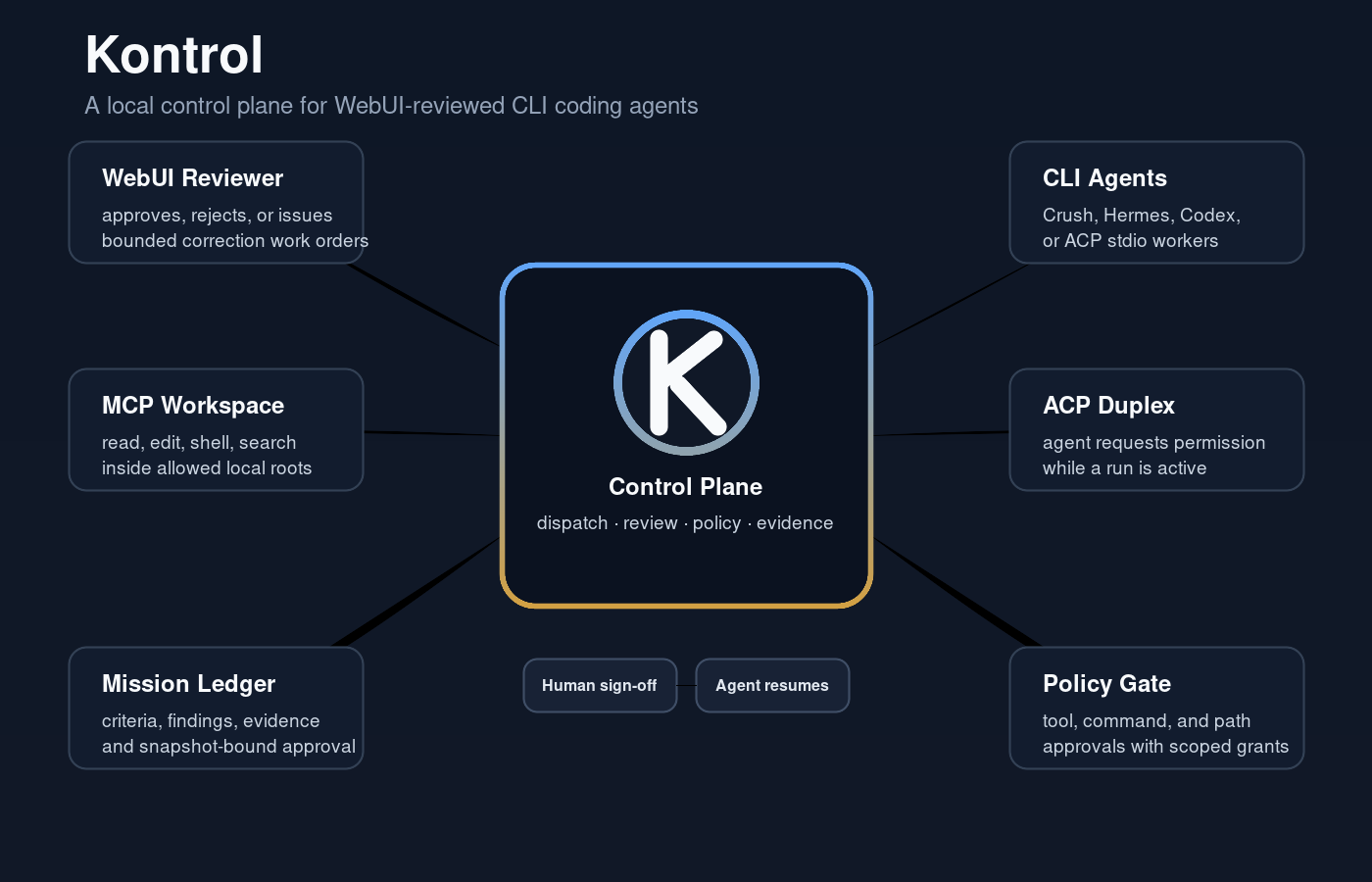
Your machine. Your agents. Your approval gate.
Kontrol is a self-hosted control plane for extending WebUI and CLI coding agents in a specific, review-gated way. It exposes your local project files over MCP, dispatches bounded work to registered ACP agents, routes results back through human review, and enforces policy around the tools and paths agents can touch.
You run it on your machine, expose it through a tunnel you control, and decide which agents get to operate, what they can do, and when their work is allowed to land.
What Makes It Different
Most MCP file-server bridges stop at "read/write/edit." Kontrol adds three layers on top:
Ralphie Muntz Loop — Agents submit work for human review. The review surface (WebUI or any MCP client) shows the diff. Human approves, requests changes, or rejects. The agent continues from durable feedback state — even if the agent process died and restarted.
Continuation Outbox — Every review decision generates a structured continuation packet with verdict, required actions, and resumption instructions. The packet crosses from the review surface to the next agent turn, so work continues without losing context.
Policy Mode — Per-tool and per-path approval rules. A dangerous command can require a one-time approval, or you can approve it for an entire workspace session. Read-only inspection stays fast; destructive ops pause for human judgment.
Underneath it all is transactional workflow state with an append-only event log: submissions, feedback, approvals, continuations, runs, and policy decisions are persisted in SQLite, and the event stream wakes WebUI watchers and blocked agents.
Installation
Kontrol requires Node >=22.19 <27.
The npm package name is reserved for @b-a-m-n/kontrol, but the public package is not published yet. Install from GitHub for now:
npm install -g git+ssh://git@github.com/B-A-M-N/Kontrol.git
kontrol init
kontrol serve
If you do not use SSH keys with GitHub, use the HTTPS URL:
npm install -g git+https://github.com/B-A-M-N/Kontrol.git
For source development, clone the repo and link the CLI locally:
git clone git@github.com:B-A-M-N/Kontrol.git
cd Kontrol
npm install --include=dev
npm run build
npm link
kontrol init
kontrol serve
During setup, Kontrol asks for:
- the local project folders agents are allowed to open
- the local port, usually
7676 - your public HTTPS base URL from Cloudflare Tunnel, ngrok, Pinggy, Tailscale Funnel, or another reverse proxy
Use the public origin without /mcp:
https://your-tunnel-host.example.com
When the client connects, Kontrol opens an Owner password approval page. Enter the password printed by kontrol init. It's also stored in:
~/.kontrol/auth.json
Keep that password private.
Connect Any MCP Client
The default local endpoint:
http://127.0.0.1:7676/mcp
Most users connect through a public HTTPS tunnel:
https://your-tunnel-host.example.com/mcp
Kontrol speaks standard MCP over Streamable HTTP. Any compatible client works: ChatGPT, Claude, Codex, Cursor, Windsurf, custom tooling.
OpenAI Secure MCP Tunnel
To connect Kontrol to ChatGPT without exposing an inbound port, run it locally and
route ChatGPT through an OpenAI Secure MCP Tunnel. In that setup use KONTROL_AUTH_MODE=tunnel: Kontrol binds a loopback address and disables its own auth gate on /mcp, so ChatGPT connects with No Authentication. Access control is delegated to the tunnel and to the OpenAI workspace that owns it. OAuth (the default for public deployments) is intentionally off here, because its authorization server is not reachable through the tunnel.
KONTROL_AUTH_MODE=tunnel
HOST=127.0.0.1
PORT=7676
kontrol serve
Register the server in the tunnel client with No Authentication, pointing at the loopback origin:
tunnel-client run \
  --mcp.server-url "http://127.0.0.1:7676/mcp"
The review WebUI is served as a self-contained MCP App resource (its CSS and JS are
inlined into a single workspace-app.html), so the ChatGPT iframe needs no localhost
fetches. See Configuration Reference
for the full security rules.
What Agents Can Do
Once connected, an agent can open an approved project folder as a workspace and:
- read, write, and edit files
- search code and inspect directories
- run shell commands for tests, builds, git, and package scripts
- use isolated Git worktrees for parallel sessions
- follow project instructions from
AGENTS.mdandCLAUDE.md - discover local agent skills from your skill folders
- show tool cards and optional change summaries in ChatGPT Apps-compatible hosts
- submit work for human review and continue from feedback
Ralphie Muntz Loop
The review loop is event-driven and provider-agnostic:
Agent submits work → Kontrol captures diff, emits ReviewRequested
     ↓
Human reviews diff in WebUI / any MCP client
     ↓
Human approves, requests changes, or rejects
     ↓
Kontrol persists feedback event + generates continuation packet
     ↓
If agent is live: it unblocks and continues
If agent stopped: it reads feedback when it resumes
This loop lives in Kontrol's event log, not in any specific host. You can review submissions from the same interface you use to chat, from a terminal, or from a future tool.
Skill Names
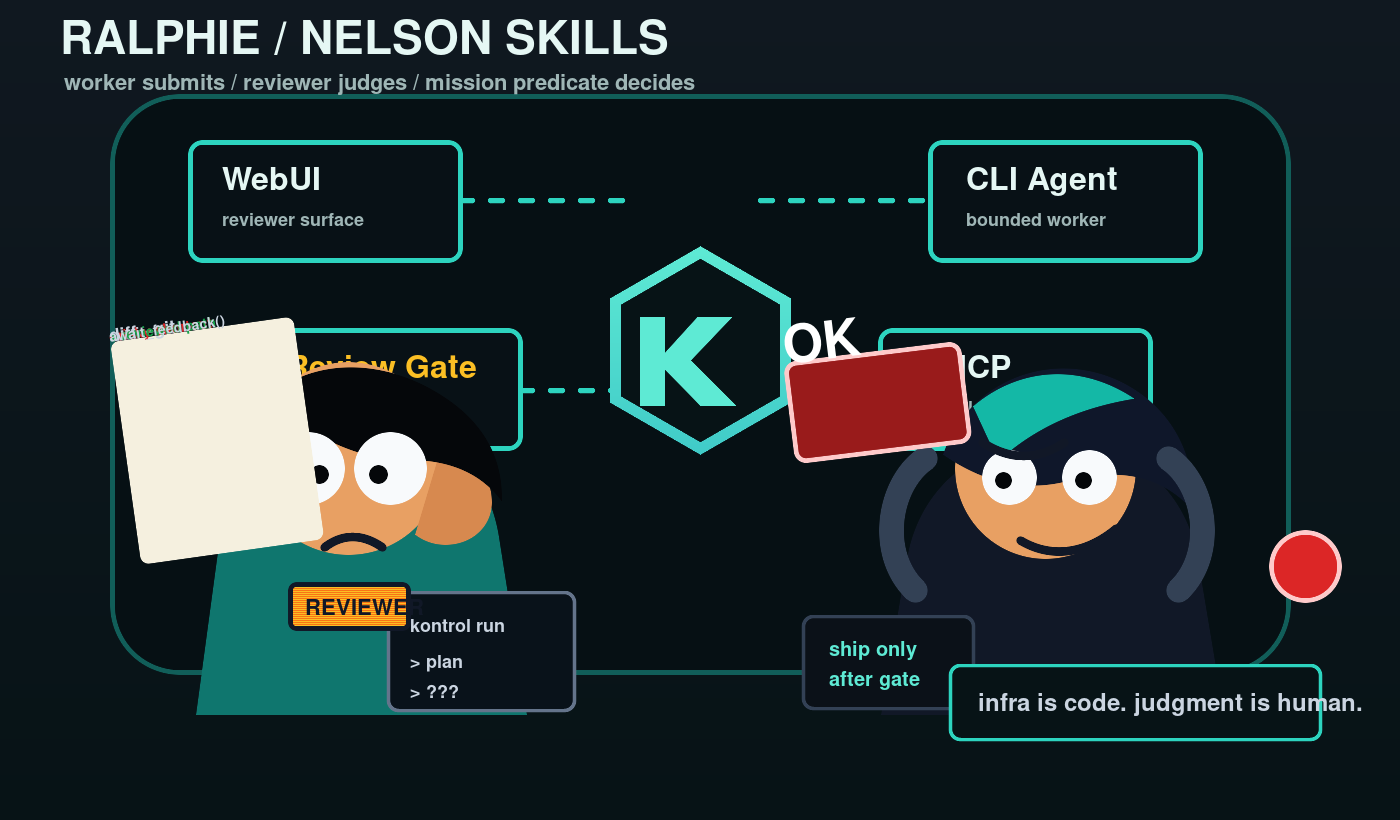
The project ships a few deliberately memorable Agent Skills. The names are not the product surface; they are protocol handles for the loop:
ralphie-muntz-loopis the worker-side contract. The CLI agent does bounded work, submits a diff, waits for feedback, and resumes only from durable review state.nelson-wiggum-loopis the reviewer-side contract. The WebUI or MCP reviewer starts work, inspects the submission, and is the only side allowed to say the work is done.kontrol-supervised-missionis the mission-control contract. It adds objective, criteria, findings, evidence, work orders, and approval blockers on top of the transport loop.
The joke names make the rendezvous easy to remember. The authority model is serious: workers do not approve themselves, review is bound to the exact submission and workspace snapshot, and completion is gated by the reviewer or mission predicate.
Policy Mode
Control which operations require human approval:
# Require approval for bash, allow file edits freely
KONTROL_POLICY_TOOL_BASH=ask KONTROL_POLICY_TOOL_WRITE=allow

# Deny access to sensitive paths (structured JSON — the per-rule env format
# `KONTROL_POLICY_PATH_<glob>` is no longer supported; it is not valid
# shell assignment syntax)
KONTROL_POLICY_PATH_RULES='[{"pattern":"/etc/ssh/**","mode":"deny"}]'

# Default: ask for anything not explicitly allowed
KONTROL_POLICY_MODE=ask
Modes:
| Mode | Behavior |
|---|---|
| allow | Tool or path is always permitted |
| deny | Tool or path is always blocked |
| ask | Blocks the call until a human approves or denies it |
When a call requires approval, the agent's tool invocation blocks (long-poll) until a human decides. "Approve for work session" caches the decision for the rest of the work session so repeat operations don't re-prompt; "Approve for workspace" caches until the workspace closes; "Approve once" does not cache.
Mental Model
Kontrol is a durable review mailbox and policy authority, not just a file server.
You decide which roots are allowed. You decide which tools require approval. The agent does its work, submits for review, and continues from structured feedback. Durable workflow state and the append-only event log are the authority every surface reads from: CLI, WebUI, MCP tools, and ACP adapters.
For a normal session:
- Start your tunnel.
- Run
kontrol serve. - Connect your MCP agent to the public
/mcpURL. - Approve the connection with the Owner password.
- Ask the agent to open a project inside one of your allowed roots.
- Review submissions as they come in.
Documentation
Platform Support
| Platform | Status | Notes |
|---|---|---|
| Linux | Supported | Requires Node, npm, Git, and Bash. |
| macOS | Supported | Requires Node, npm, Git, and Bash. |
| Windows with Git Bash, WSL, MSYS2, or Cygwin Bash | Supported | Git Bash is the simplest native Windows setup. |
Windows PowerShell or cmd.exe only |
Not supported yet | Install Git Bash or use WSL. |
kontrol doctor
Attribution
Kontrol grew out of an idea I had been kicking around for a while, then side-binned because the local MCP/workspace layer was the hard part to get right. When I saw that Waishnav had built DevSpace, I used that MCP implementation as the base and extended it in the direction I had been trying to reach.
The original DevSpace project is distributed under the MIT License. Kontrol keeps that attribution while adding ACP worker dispatch, durable review loops, supervised missions, policy approvals, and adapter integrations. I can see how this style of local, review-gated agent control plane might be useful beyond my own setup, so the fork now has its own name and product direction.
Local Development
npm install --include=dev
npm run dev
npm run typecheck
npm test
npm run build
npm run start
推荐服务器

Baidu Map
百度地图核心API现已全面兼容MCP协议,是国内首家兼容MCP协议的地图服务商。

Playwright MCP Server
一个模型上下文协议服务器,它使大型语言模型能够通过结构化的可访问性快照与网页进行交互,而无需视觉模型或屏幕截图。

Magic Component Platform (MCP)
一个由人工智能驱动的工具,可以从自然语言描述生成现代化的用户界面组件,并与流行的集成开发环境(IDE)集成,从而简化用户界面开发流程。

Audiense Insights MCP Server
通过模型上下文协议启用与 Audiense Insights 账户的交互,从而促进营销洞察和受众数据的提取和分析,包括人口统计信息、行为和影响者互动。

VeyraX
一个单一的 MCP 工具,连接你所有喜爱的工具:Gmail、日历以及其他 40 多个工具。

graphlit-mcp-server
模型上下文协议 (MCP) 服务器实现了 MCP 客户端与 Graphlit 服务之间的集成。 除了网络爬取之外,还可以将任何内容(从 Slack 到 Gmail 再到播客订阅源)导入到 Graphlit 项目中,然后从 MCP 客户端检索相关内容。

Kagi MCP Server
一个 MCP 服务器,集成了 Kagi 搜索功能和 Claude AI,使 Claude 能够在回答需要最新信息的问题时执行实时网络搜索。

e2b-mcp-server
使用 MCP 通过 e2b 运行代码。

Neon MCP Server
用于与 Neon 管理 API 和数据库交互的 MCP 服务器

Exa MCP Server
模型上下文协议(MCP)服务器允许像 Claude 这样的 AI 助手使用 Exa AI 搜索 API 进行网络搜索。这种设置允许 AI 模型以安全和受控的方式获取实时的网络信息。