
LangSmith MCP Server
Enables language models to access LangSmith observability platform features including fetching conversation history, managing prompts, retrieving traces and runs, working with datasets and examples, and analyzing experiments.
README
🦜🛠️ LangSmith MCP Server
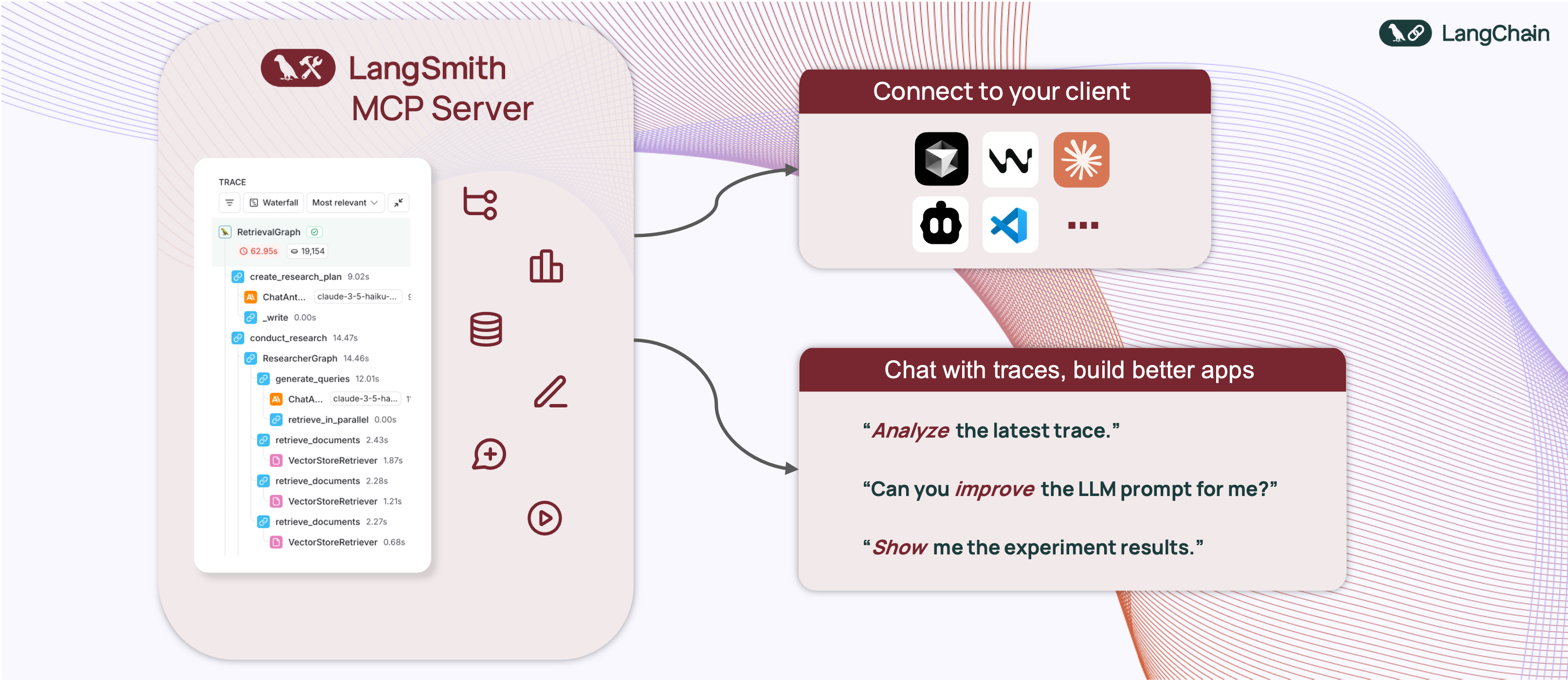


A production-ready Model Context Protocol (MCP) server that provides seamless integration with the LangSmith observability platform. This server enables language models to fetch conversation history and prompts from LangSmith.
📋 Overview
The LangSmith MCP Server bridges the gap between language models and the LangSmith platform, enabling advanced capabilities for conversation tracking, prompt management, and analytics integration.
🚀 Example Use Cases
The server enables powerful capabilities including:
- 💬 Conversation History: "Fetch the history of my conversation with the AI assistant from thread 'thread-123' in project 'my-chatbot'"
- 📚 Prompt Management: "Get all public prompts in my workspace"
- 🔍 Smart Search: "Find private prompts containing the word 'joke'"
- 📝 Template Access: "Pull the template for the 'legal-case-summarizer' prompt"
- 🔧 Configuration: "Get the system message from a specific prompt template"
🛠️ Available Tools
The LangSmith MCP Server provides the following tools for integration with LangSmith:
📚 Prompt Management
| Tool Name | Description |
|---|---|
list_prompts |
Fetch prompts from LangSmith with optional filtering. Filter by visibility (public/private) and limit results. |
get_prompt_by_name |
Get a specific prompt by its exact name, returning the prompt details and template. |
push_prompt |
Documentation tool for understanding how to create and push prompts to LangSmith (documentation-only). |
🔍 Traces & Runs
| Tool Name | Description |
|---|---|
fetch_runs |
Fetch LangSmith runs (traces, tools, chains, etc.) from one or more projects using flexible filters, query language expressions, and trace-level constraints. |
list_projects |
List LangSmith projects with optional filtering and detail level control. Can return simplified or full project information. |
list_experiments |
List LangSmith experiment projects (reference projects) with mandatory dataset filtering. Returns experiment information with key metrics (latency, cost, feedback stats). |
📊 Datasets & Examples
| Tool Name | Description |
|---|---|
list_datasets |
Fetch LangSmith datasets with filtering options by ID, type, name, or metadata. |
list_examples |
Fetch examples from a LangSmith dataset with advanced filtering options. |
read_dataset |
Read a specific dataset from LangSmith using dataset ID or name. |
read_example |
Read a specific example from LangSmith using the example ID and optional version information. |
create_dataset |
Documentation tool for understanding how to create datasets in LangSmith (documentation-only). |
update_examples |
Documentation tool for understanding how to update dataset examples in LangSmith (documentation-only). |
🧪 Experiments & Evaluations
| Tool Name | Description |
|---|---|
run_experiment |
Documentation tool for understanding how to run experiments and evaluations in LangSmith (documentation-only). |
🛠️ Installation Options
📝 General Prerequisites
-
Install uv (a fast Python package installer and resolver):
curl -LsSf https://astral.sh/uv/install.sh | sh -
Clone this repository and navigate to the project directory:
git clone https://github.com/langchain-ai/langsmith-mcp-server.git
cd langsmith-mcp-server
🔌 MCP Client Integration
Once you have the LangSmith MCP Server, you can integrate it with various MCP-compatible clients. You have two installation options:
📦 From PyPI
-
Install the package:
uv run pip install --upgrade langsmith-mcp-server -
Add to your client MCP config:
{
    "mcpServers": {
        "LangSmith API MCP Server": {
            "command": "/path/to/uvx",
            "args": [
                "langsmith-mcp-server"
            ],
            "env": {
                "LANGSMITH_API_KEY": "your_langsmith_api_key",
                "LANGSMITH_WORKSPACE_ID": "your_workspace_id",
                "LANGSMITH_ENDPOINT": "https://api.smith.langchain.com"
            }
        }
    }
}
⚙️ From Source
Add the following configuration to your MCP client settings:
{
    "mcpServers": {
        "LangSmith API MCP Server": {
            "command": "/path/to/uv",
            "args": [
                "--directory",
                "/path/to/langsmith-mcp-server/langsmith_mcp_server",
                "run",
                "server.py"
            ],
            "env": {
                "LANGSMITH_API_KEY": "your_langsmith_api_key",
                "LANGSMITH_WORKSPACE_ID": "your_workspace_id",
                "LANGSMITH_ENDPOINT": "https://api.smith.langchain.com"
            }
        }
    }
}
Replace the following placeholders:
/path/to/uv: The absolute path to your uv installation (e.g.,/Users/username/.local/bin/uv). You can find it runningwhich uv./path/to/langsmith-mcp-server: The absolute path to your langsmith-mcp project directoryyour_langsmith_api_key: Your LangSmith API key (required)your_workspace_id: Your LangSmith workspace ID (optional, for API keys scoped to multiple workspaces)https://api.smith.langchain.com: The LangSmith API endpoint (optional, defaults to the standard endpoint)
Example configuration:
{
    "mcpServers": {
        "LangSmith API MCP Server": {
            "command": "/Users/mperini/.local/bin/uvx",
            "args": [
                "langsmith-mcp-server"
            ],
            "env": {
                "LANGSMITH_API_KEY": "lsv2_pt_1234",
                "LANGSMITH_WORKSPACE_ID": "your_workspace_id",
                "LANGSMITH_ENDPOINT": "https://api.smith.langchain.com"
            }
        }
    }
}
Copy this configuration in Cursor > MCP Settings.

🔧 Environment Variables
The LangSmith MCP Server supports the following environment variables:
| Variable | Required | Description | Example |
|---|---|---|---|
LANGSMITH_API_KEY |
✅ Yes | Your LangSmith API key for authentication | lsv2_pt_1234567890 |
LANGSMITH_WORKSPACE_ID |
❌ No | Workspace ID for API keys scoped to multiple workspaces | your_workspace_id |
LANGSMITH_ENDPOINT |
❌ No | Custom API endpoint URL (for self-hosted or EU region) | https://api.smith.langchain.com |
Notes:
- Only
LANGSMITH_API_KEYis required for basic functionality LANGSMITH_WORKSPACE_IDis useful when your API key has access to multiple workspacesLANGSMITH_ENDPOINTallows you to use custom endpoints for self-hosted LangSmith installations or the EU region
🐳 Docker Deployment (HTTP-Streamable)
The LangSmith MCP Server can be deployed as an HTTP server using Docker, enabling remote access via the HTTP-streamable protocol.
Building the Docker Image
docker build -t langsmith-mcp-server .
Running with Docker
docker run -p 8000:8000 langsmith-mcp-server
The API key is provided via the LANGSMITH-API-KEY header when connecting, so no environment variables are required for HTTP-streamable protocol.
Connecting with HTTP-Streamable Protocol
Once the Docker container is running, you can connect to it using the HTTP-streamable transport. The server accepts authentication via headers:
Required header:
LANGSMITH-API-KEY: Your LangSmith API key
Optional headers:
LANGSMITH-WORKSPACE-ID: Workspace ID for API keys scoped to multiple workspacesLANGSMITH-ENDPOINT: Custom endpoint URL (for self-hosted or EU region)
Example client configuration:
from mcp import ClientSession
from mcp.client.streamable_http import streamablehttp_client

headers = {
    "LANGSMITH-API-KEY": "lsv2_pt_your_api_key_here",
    # Optional:
    # "LANGSMITH-WORKSPACE-ID": "your_workspace_id",
    # "LANGSMITH-ENDPOINT": "https://api.smith.langchain.com",
}

async with streamablehttp_client("http://localhost:8000/mcp", headers=headers) as (read, write, _):
    async with ClientSession(read, write) as session:
        await session.initialize()
        # Use the session to call tools, list prompts, etc.
Cursor Integration
To add the LangSmith MCP Server to Cursor using HTTP-streamable protocol, add the following to your mcp.json configuration file:
{
  "mcpServers": {
    "HTTP-Streamable LangSmith MCP Server": {
      "url": "http://localhost:8000/mcp",
      "headers": {
        "LANGSMITH-API-KEY": "lsv2_pt_your_api_key_here"
      }
    }
  }
}
Optional headers:
{
  "mcpServers": {
    "HTTP-Streamable LangSmith MCP Server": {
      "url": "http://localhost:8000/mcp",
      "headers": {
        "LANGSMITH-API-KEY": "lsv2_pt_your_api_key_here",
        "LANGSMITH-WORKSPACE-ID": "your_workspace_id",
        "LANGSMITH-ENDPOINT": "https://api.smith.langchain.com"
      }
    }
  }
}
Make sure the server is running before connecting Cursor to it.
Health Check
The server provides a health check endpoint:
curl http://localhost:8000/health
This endpoint does not require authentication and returns "LangSmith MCP server is running" when the server is healthy.
🧪 Development and Contributing 🤝
If you want to develop or contribute to the LangSmith MCP Server, follow these steps:
-
Create a virtual environment and install dependencies:
uv sync -
To include test dependencies:
uv sync --group test -
View available MCP commands:
uvx langsmith-mcp-server -
For development, run the MCP inspector:
uv run mcp dev langsmith_mcp_server/server.py- This will start the MCP inspector on a network port
- Install any required libraries when prompted
- The MCP inspector will be available in your browser
- Set the
LANGSMITH_API_KEYenvironment variable in the inspector - Connect to the server
- Navigate to the "Tools" tab to see all available tools
-
Before submitting your changes, run the linting and formatting checks:
make lint
make format
📄 License
This project is distributed under the MIT License. For detailed terms and conditions, please refer to the LICENSE file.
Made with ❤️ by the LangChain Team
推荐服务器

Baidu Map
百度地图核心API现已全面兼容MCP协议,是国内首家兼容MCP协议的地图服务商。

Playwright MCP Server
一个模型上下文协议服务器,它使大型语言模型能够通过结构化的可访问性快照与网页进行交互,而无需视觉模型或屏幕截图。

Magic Component Platform (MCP)
一个由人工智能驱动的工具,可以从自然语言描述生成现代化的用户界面组件,并与流行的集成开发环境(IDE)集成,从而简化用户界面开发流程。

Audiense Insights MCP Server
通过模型上下文协议启用与 Audiense Insights 账户的交互,从而促进营销洞察和受众数据的提取和分析,包括人口统计信息、行为和影响者互动。

VeyraX
一个单一的 MCP 工具,连接你所有喜爱的工具:Gmail、日历以及其他 40 多个工具。

graphlit-mcp-server
模型上下文协议 (MCP) 服务器实现了 MCP 客户端与 Graphlit 服务之间的集成。 除了网络爬取之外,还可以将任何内容(从 Slack 到 Gmail 再到播客订阅源)导入到 Graphlit 项目中,然后从 MCP 客户端检索相关内容。

Kagi MCP Server
一个 MCP 服务器,集成了 Kagi 搜索功能和 Claude AI,使 Claude 能够在回答需要最新信息的问题时执行实时网络搜索。

e2b-mcp-server
使用 MCP 通过 e2b 运行代码。

Neon MCP Server
用于与 Neon 管理 API 和数据库交互的 MCP 服务器

Exa MCP Server
模型上下文协议(MCP)服务器允许像 Claude 这样的 AI 助手使用 Exa AI 搜索 API 进行网络搜索。这种设置允许 AI 模型以安全和受控的方式获取实时的网络信息。