
Laravel MCP Companion
Provides instant access to comprehensive Laravel ecosystem documentation including multi-version core docs (6.x-latest), Laravel services (Forge, Vapor, Nova, Envoyer), and 42,000+ lines of community package documentation with intelligent search and use-case mapping.
README
Laravel MCP Companion
formerly Laravel Docs MCP Server






⚠️ BETA SOFTWARE - This project is in early development. Features may not work as expected and breaking changes may occur without notice.
Laravel MCP Companion is a comprehensive documentation aggregator and navigator for the Laravel ecosystem. Rather than generating content, it centralizes and organizes existing high-quality documentation from across the Laravel ecosystem, making it easily discoverable through your AI assistant.
Why Laravel MCP Companion?
| Feature | Laravel MCP Companion | Context7 |
|---|---|---|
| Instant documentation retrieval (zero latency) | ✅ | ❌ |
| Laravel multi-version support (6.x - latest) | ✅ | ❌ |
| Laravel service docs (Forge, Vapor, Nova, Envoyer) | ✅ | ❌ |
| Curated Laravel package recommendations | ✅ | ❌ |
| Offline documentation access | ✅ | ❌ |
| Pre-processed markdown (saves tokens) | ✅ | ❌ |
| No internet requests during use | ✅ | ❌ |
| Laravel-specific search | ✅ | ❌ |
| Auto-discovery of service docs | ✅ | ❌ |
| General documentation (non-Laravel) | ❌ | ✅ |
While Context7 excels at general documentation retrieval, Laravel MCP Companion is purpose-built for Laravel developers with faster, offline-capable, Laravel-specific features.
What you get:
- Multi-version Laravel documentation (6.x through latest) with enhanced search
- Auto-discovery Laravel services - Forge, Vapor, Envoyer, Nova (117+ sections)
- Community package documentation - 42,000+ lines from Spatie, Livewire, Inertia, Filament
- Use case mapping - Describe what you need, get relevant packages instantly
- Package integration guides - Installation and setup for 50+ curated packages
- Cross-package compatibility - Learn which packages work well together
- Unified search across core Laravel docs, services, and packages
- Smart navigation - find exactly what you need for your use case
- Future-proof updates - automatically adapts to Laravel service changes
Auto-Discovery & Update Frequency
This application features an intelligent auto-discovery system that automatically finds and indexes Laravel documentation. Every day, it:
- ✅ Auto-discovers new documentation sections across Laravel services (Forge, Vapor, Nova, Envoyer)
- ✅ Retrieves the latest Laravel core documentation for all versions since 6.x
- ✅ Fetches community package documentation (Spatie, Livewire, Inertia, Filament)
- ✅ Adapts automatically to structural changes in documentation websites
- ✅ Generates new patch releases automatically when updates are found
Installation
Quick Install via Smithery
npx -y @smithery/cli install @brianirish/laravel-mcp-companion --client claude
Note: Smithery automatically configures your AI client.
Claude Desktop
-
Open Claude Desktop Settings
- Click Claude menu → Settings → Developer → Edit Config
-
Add to your configuration file:
{ "mcpServers": { "laravel-mcp-companion": { "command": "docker", "args": ["run", "--rm", "-i", "ghcr.io/brianirish/laravel-mcp-companion:latest"] } } } -
Restart Claude Desktop for changes to take effect
Config file locations:
- Windows:
%APPDATA%\Claude\claude_desktop_config.json - macOS:
~/Library/Application Support/Claude/claude_desktop_config.json
Claude Code
Use the claude mcp add command:
# Add with Docker
claude mcp add laravel-mcp-companion docker run --rm -i ghcr.io/brianirish/laravel-mcp-companion:latest

# Or add to project-specific config (for team sharing)
claude mcp add laravel-mcp-companion docker run --rm -i ghcr.io/brianirish/laravel-mcp-companion:latest --scope project
The --scope project option creates a .mcp.json file in your project root that can be committed to version control.
Configuration Options
These options can be used with the Docker command. For example:
# Update docs for Laravel 11.x only
docker run --rm -i ghcr.io/brianirish/laravel-mcp-companion:latest --version 11.x

# Force update all documentation
docker run --rm -i ghcr.io/brianirish/laravel-mcp-companion:latest --force-update
| Option | Description | Default |
|---|---|---|
--version VERSION |
Laravel version (e.g., "12.x", "11.x") | Latest |
--docs-path PATH |
Documentation directory | ./docs |
--log-level LEVEL |
DEBUG, INFO, WARNING, ERROR, CRITICAL | INFO |
--update-docs |
Update documentation on startup | false |
--force-update |
Force documentation update | false |
Features and Roadmap
Current Features (v0.8.0)
- ✅ Multi-version Laravel docs - All versions from 6.x to latest
- ✅ Auto-discovery engine - Finds new docs across Forge, Vapor, Nova, Envoyer
- ✅ Community package docs - 42,000+ lines from Spatie, Livewire, Inertia, Filament
- ✅ Use case mapping - Describe what you need, get relevant packages
- ✅ Package integration guides - Installation and setup for 50+ packages
- ✅ Cross-package compatibility - Documentation for package combinations
- ✅ Unified search - One search across all documentation sources
- ✅ Daily updates - Automatic sync with latest documentation
- ✅ Battle-tested - Comprehensive test suite ensures reliability
Upcoming Features
- 📰 v0.9.0: Laravel News, Bootcamp, tutorials, and advanced discovery
- 🔍 v0.10.0: Ecosystem intelligence and real-time updates
- 🚀 v1.0.0: The complete Laravel documentation navigator
For detailed roadmap information, see ROADMAP.md.
License
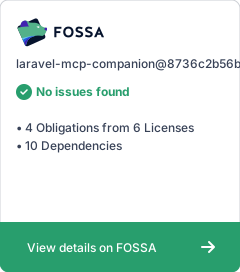
This project is licensed under the MIT License - see the LICENSE file for details.
Contributing
Contributions are welcome! See CONTRIBUTING.md for guidelines.
Acknowledgements
- Laravel for their excellent documentation
- Laravel package authors for their contributions to the ecosystem
推荐服务器

Baidu Map
百度地图核心API现已全面兼容MCP协议,是国内首家兼容MCP协议的地图服务商。

Playwright MCP Server
一个模型上下文协议服务器,它使大型语言模型能够通过结构化的可访问性快照与网页进行交互,而无需视觉模型或屏幕截图。

Magic Component Platform (MCP)
一个由人工智能驱动的工具,可以从自然语言描述生成现代化的用户界面组件,并与流行的集成开发环境(IDE)集成,从而简化用户界面开发流程。

Audiense Insights MCP Server
通过模型上下文协议启用与 Audiense Insights 账户的交互,从而促进营销洞察和受众数据的提取和分析,包括人口统计信息、行为和影响者互动。

VeyraX
一个单一的 MCP 工具,连接你所有喜爱的工具:Gmail、日历以及其他 40 多个工具。

graphlit-mcp-server
模型上下文协议 (MCP) 服务器实现了 MCP 客户端与 Graphlit 服务之间的集成。 除了网络爬取之外,还可以将任何内容(从 Slack 到 Gmail 再到播客订阅源)导入到 Graphlit 项目中,然后从 MCP 客户端检索相关内容。

Kagi MCP Server
一个 MCP 服务器,集成了 Kagi 搜索功能和 Claude AI,使 Claude 能够在回答需要最新信息的问题时执行实时网络搜索。

e2b-mcp-server
使用 MCP 通过 e2b 运行代码。

Neon MCP Server
用于与 Neon 管理 API 和数据库交互的 MCP 服务器

Exa MCP Server
模型上下文协议(MCP)服务器允许像 Claude 这样的 AI 助手使用 Exa AI 搜索 API 进行网络搜索。这种设置允许 AI 模型以安全和受控的方式获取实时的网络信息。