
Multi-Provider Image Generation Server
Enables AI-assisted image generation from text prompts using multiple providers (Tencent Hunyuan, OpenAI DALL-E 3, and Doubao) with support for various artistic styles, resolutions, and negative prompts through a unified interface.
README
MCP Image Generation Server
A Model Context Protocol (MCP) server for image generation using multiple AI providers including Tencent Hunyuan, OpenAI DALL-E 3, and Doubao APIs.
Features
🎯 Multi-API Provider Support
- Tencent Hunyuan: 18 artistic styles with Chinese optimization
- OpenAI DALL-E 3: High-quality image generation with English optimization
- Doubao (ByteDance): Balanced quality and speed with 12 styles
🚀 Core Features
- Generate images from text descriptions
- Support for multiple image styles across different providers
- Support for different image resolutions
- Negative prompts for excluding unwanted elements
- Intelligent provider selection and management
- Unified parameter format with provider-specific options
🔧 Smart Provider Management
- Automatic detection of available API providers
- Support for specifying particular providers or automatic selection
- Unified error handling and retry mechanisms
- Flexible parameter formats:
provider:styleandprovider:resolution
Installation
Using UV (Recommended)
UV is a fast, modern Python package manager. Recommended usage:
# Install UV (Windows)
curl -sSf https://astral.sh/uv/install.ps1 | powershell

# Install UV (macOS/Linux)
curl -sSf https://astral.sh/uv/install.sh | bash

# Clone the project and enter the directory
cd path/to/image-gen-mcp-server

# Create a UV virtual environment
uv venv
# Or specify an environment name
# uv venv my-env-name

# Activate the virtual environment (Windows)
.venv\Scripts\activate
# Activate the virtual environment (macOS/Linux)
source .venv/bin/activate

# Install dependencies (recommended)
uv pip install -e .

# Or use the lock file for exact versions
uv pip install -r requirements.lock.txt
Using Traditional pip
If you prefer traditional pip:
# Create a virtual environment
python -m venv venv
# Activate the virtual environment (Windows)
venv\Scripts\activate
# Activate the virtual environment (macOS/Linux)
source venv/bin/activate

# Install dependencies
pip install -e .
# Or use the lock file
pip install -r requirements.lock.txt
Environment Setup
Create a .env file in the project root with the following content:
TENCENT_SECRET_ID=your_tencent_secret_id
TENCENT_SECRET_KEY=your_tencent_secret_key
MCP_IMAGE_SAVE_DIR=your_saved_img_dir
Usage
🔄 Choosing Your Server Version
This project offers two server implementations:
Single API Server (Original)
# For Tencent Hunyuan API only
python mcp_image_server.py
Multi-API Server (New - Recommended)
# Supports Tencent Hunyuan, OpenAI DALL-E 3, and Doubao APIs
python mcp_image_server_multi.py
Recommendation: Use the multi-API server (mcp_image_server_multi.py) for access to all supported providers and enhanced features.
Running the MCP Server
You can run the MCP server as follows:
# Multi-API server (recommended)
python mcp_image_server_multi.py

# Or original single-API server
python mcp_image_server.py
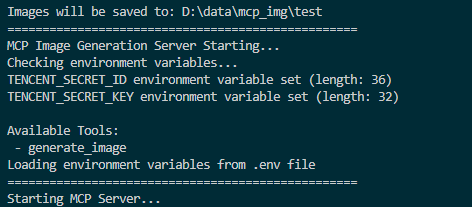
Screenshot of MCP server running successfully:
Connecting to the Server
You can connect from MCP-compatible client(recommand cursor now). The server provides the following features:
Resources
styles://list- List all available image stylesresolutions://list- List all available image resolutions
Tools
generate_image- Generate images based on prompt, style, and resolution
Prompts
image_generation_prompt- Create image generation prompt templates
🎨 Multi-API Usage Examples
Basic Usage
# Auto-select best available provider
generate_image(prompt="A cute cat in a garden")

# Specify a particular provider
generate_image(prompt="A cute cat", provider="openai")
generate_image(prompt="一只可爱的小猫", provider="hunyuan")
generate_image(prompt="Cute kitten", provider="doubao")
Advanced Parameter Usage
# Use provider-specific styles and resolutions
generate_image(
    prompt="Cyberpunk city skyline",
    style="hunyuan:saibopengke",
    resolution="hunyuan:1024:768"
)

# Mix provider selection with standard parameters
generate_image(
    prompt="Fantasy magical forest",
    provider="doubao",
    style="fantasy",
    resolution="1024x768",
    negative_prompt="low quality, blurry"
)

# OpenAI with high-resolution output
generate_image(
    prompt="Artistic portrait of a musician",
    provider="openai",
    style="artistic",
    resolution="1792x1024"
)
📊 Supported Providers and Parameters
Tencent Hunyuan
- Styles: 18 options including
riman,xieshi,shuimo,saibopengke,youhua - Resolutions: 8 options from
768:768to1280:720 - Specialty: Chinese-optimized, rich artistic styles
OpenAI DALL-E 3
- Styles: 12 options including
natural,vivid,realistic,artistic,anime - Resolutions: 7 options including ultra-high resolution
1792x1024 - Specialty: High-quality output, English optimization
Doubao (ByteDance)
- Styles: 12 options including
general,anime,chinese_painting,cyberpunk - Resolutions: 9 options from
512x512to1024x576 - Specialty: Balanced quality and speed
Cursor Integration
To add this MCP server in Cursor:
- Open Cursor
- Go to Settings > Features > MCP
- Click "+ Add New MCP Server"
- Fill in the configuration:
- Name:
Multi-API Image Generator(or any descriptive name) - Type:
stdio - Command: Full command, must include the absolute path to Python and the script
- Name:
Single API Configuration (Original)
{
  "mcpServers": {
    "image-generation": {
      "name": "image-generation service",
      "description": "support the image generation service using tencent hunyuan API",
      "type": "stdio",
      "command": "D:\\your_path\\image-gen-mcp-server\\.venv\\Scripts\\python.exe",
      "args": ["D:\\your_path\\image-gen-mcp-server\\mcp_image_server.py"],
      "environment": ["TENCENT_SECRET_ID", "TENCENT_SECRET_KEY","MCP_IMAGE_SAVE_DIR"],
      "autoRestart": true,
      "startupTimeoutMs": 30000
    }
  }
}
Multi-API Configuration (Recommended)
{
  "mcpServers": {
    "multi-image-generation": {
      "name": "Multi-API Image Generation Service",
      "description": "Multi-provider image generation using Hunyuan, OpenAI, and Doubao APIs",
      "type": "stdio",
      "command": "D:\\your_path\\image-gen-mcp-server\\.venv\\Scripts\\python.exe",
      "args": ["D:\\your_path\\image-gen-mcp-server\\mcp_image_server_multi.py"],
      "environment": [
        "TENCENT_SECRET_ID",
        "TENCENT_SECRET_KEY",
        "OPENAI_API_KEY",
        "DOUBAO_ACCESS_KEY",
        "DOUBAO_SECRET_KEY",
        "MCP_IMAGE_SAVE_DIR"
      ],
      "autoRestart": true,
      "startupTimeoutMs": 30000
    }
  }
}
Environment Variables
When configuring the MCP server in Cursor, set the following environment variables:
For Single API (Hunyuan only):
TENCENT_SECRET_ID: Your Tencent Cloud API Secret IDTENCENT_SECRET_KEY: Your Tencent Cloud API Secret KeyMCP_IMAGE_SAVE_DIR: Your save image dir, e.g.: D:\data\mcp_img
For Multi-API (All providers):
TENCENT_SECRET_ID: Your Tencent Cloud API Secret IDTENCENT_SECRET_KEY: Your Tencent Cloud API Secret KeyOPENAI_API_KEY: Your OpenAI API KeyDOUBAO_ACCESS_KEY: Your Doubao Access KeyDOUBAO_SECRET_KEY: Your Doubao Secret KeyMCP_IMAGE_SAVE_DIR: Your save image dir, e.g.: D:\data\mcp_imgOPENAI_BASE_URL: (Optional) Custom OpenAI endpointDOUBAO_ENDPOINT: (Optional) Custom Doubao endpoint
Note: You only need to configure the API keys for the providers you want to use. The system will automatically detect available providers.
🎯 Multi-API Usage in Cursor
With the multi-API server, you can use natural language in Cursor to specify different providers:
# Auto-select the best provider
"Generate a cyberpunk city image"

# Specify a particular provider
"Use OpenAI to generate a cartoon-style cat image"
"Please use Hunyuan to create a traditional Chinese painting"
"Generate with Doubao a fantasy-style forest scene"

# Use provider-specific styles
"Create an image with hunyuan:shuimo style showing mountains and rivers"
"Generate a doubao:chinese_painting style landscape"

# Mix parameters
"Use OpenAI to generate a 1792x1024 artistic portrait"
"Create a hunyuan:saibopengke style image at 1024:768 resolution"
Verification
- Save the configuration
- Restart Cursor
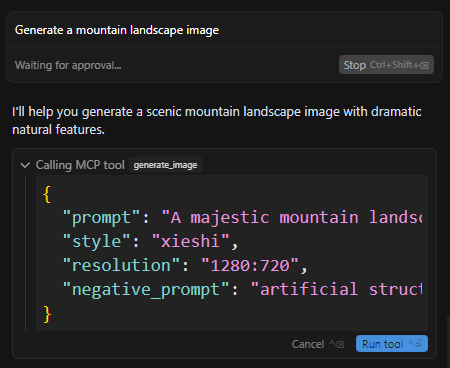
- Start a new chat and enter: "Generate a mountain landscape image"
- If everything is set up correctly, the AI will use your MCP server to generate the image
Note: The first time you use it, Cursor may ask for permission to use this MCP server.
Let's look at the steps in Cursor:
-
step_1: types your generate command in cursor
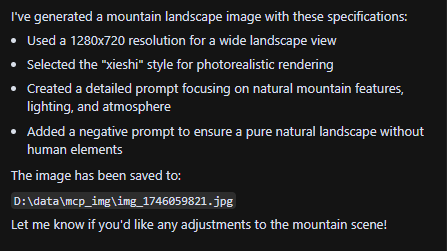
-
step_2: after your approval it will call the mcp image-gen tool and save it
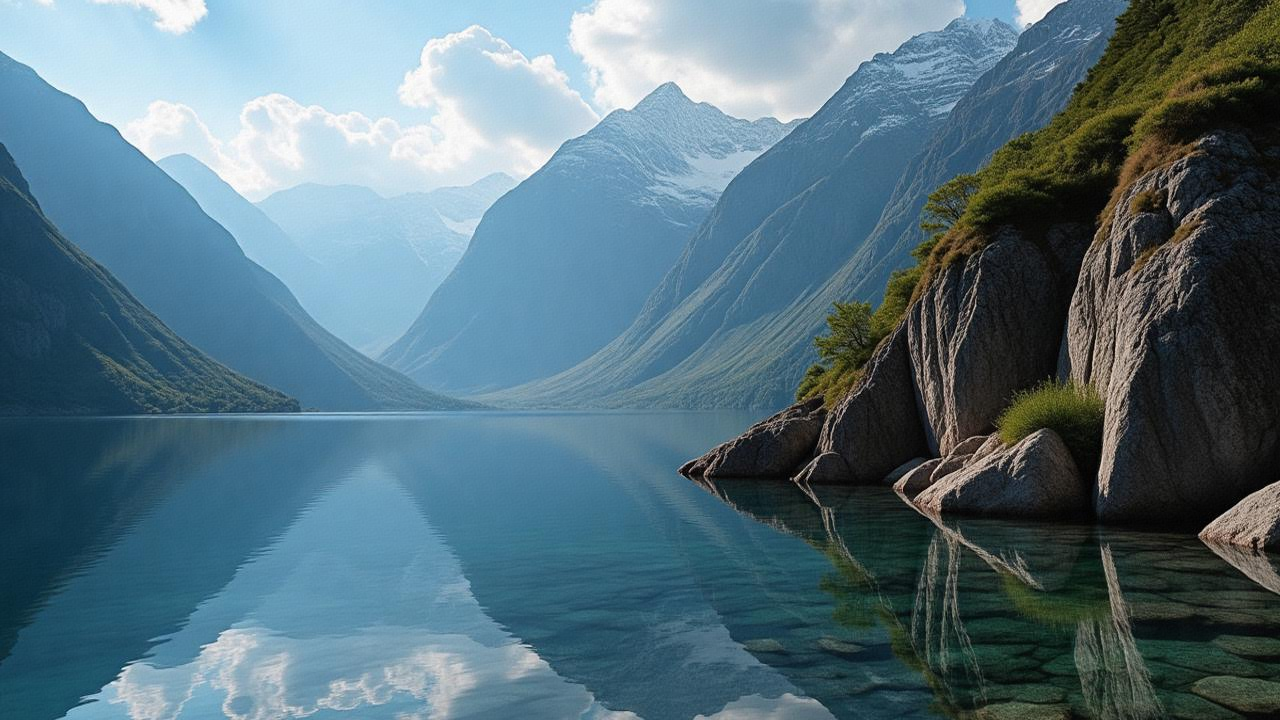
-
Step 3: View or use the image saved in the directory (MCP_IMAGE_SAVE_DIR) you have set in the .env file
You can also ask Cursor to design images for your website ✨. Cursor can use the MCP tool to generate images that match your specific layout requirements 🎨. Perfect for creating beautiful web designs!
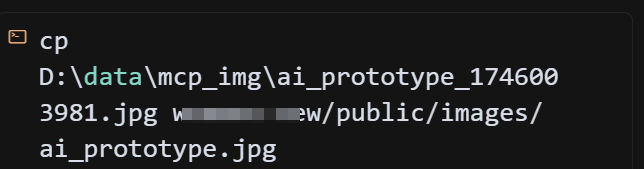
Tip: You don't need to manually move the generated images from the save directory to your project directory. Cursor will handle this automatically after your approval. This is one of the main advantages of using Cursor.
-
Planning the move

-
Executing the move
-
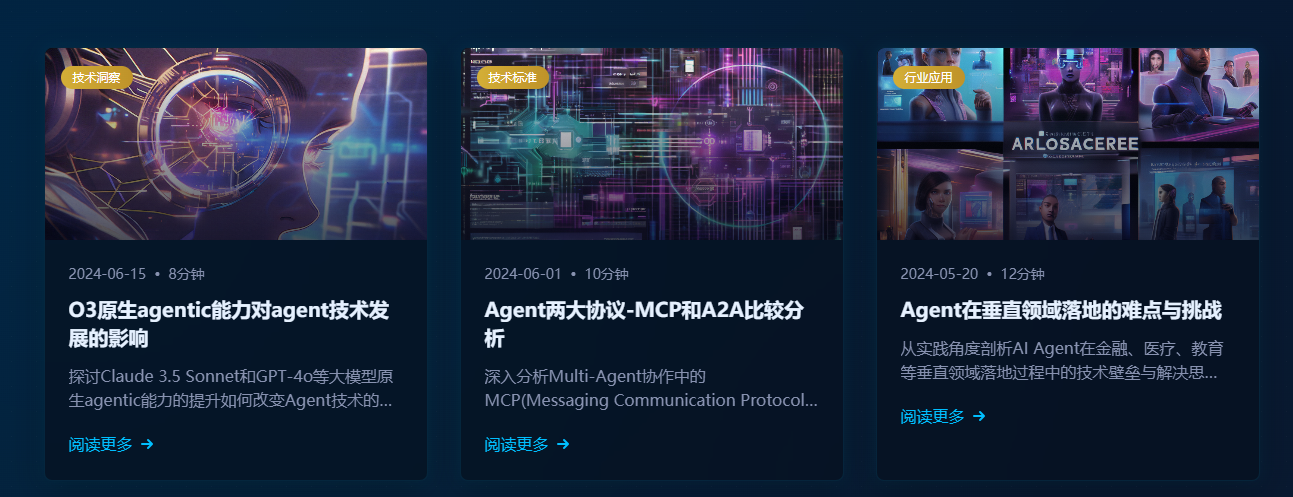
Example Performance
Original web design:
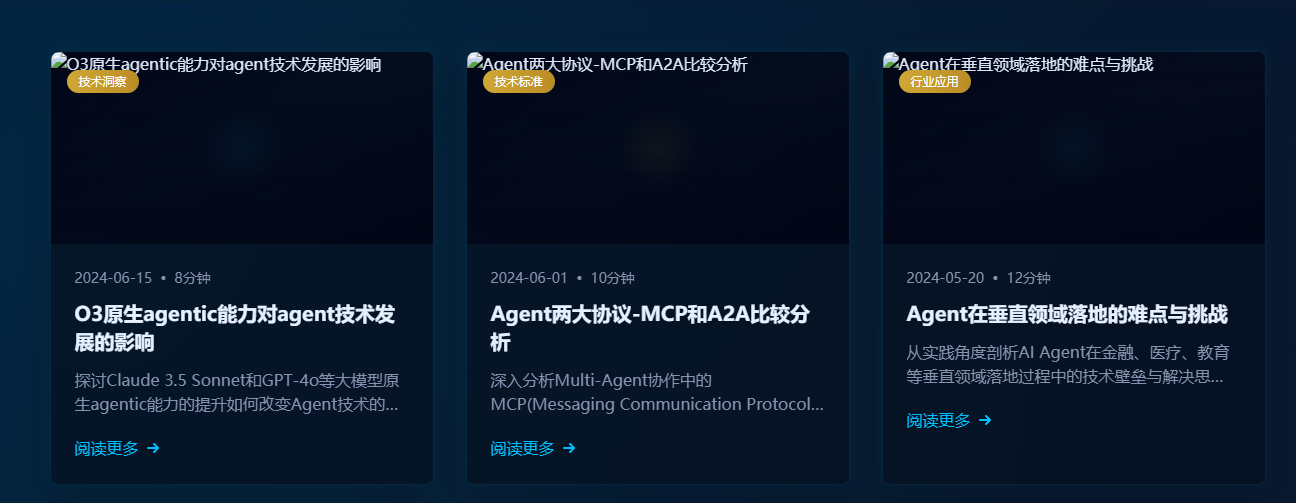
New design after generating and moving the image to the project using Cursor:
Troubleshooting
- Ensure environment variables are set correctly
- Check for spaces in paths; use quotes if needed
- Ensure the virtual environment is activated (if using one)
- Try running the server script directly to check for errors
- Check UV environment with
uv --version
Front-end Demo
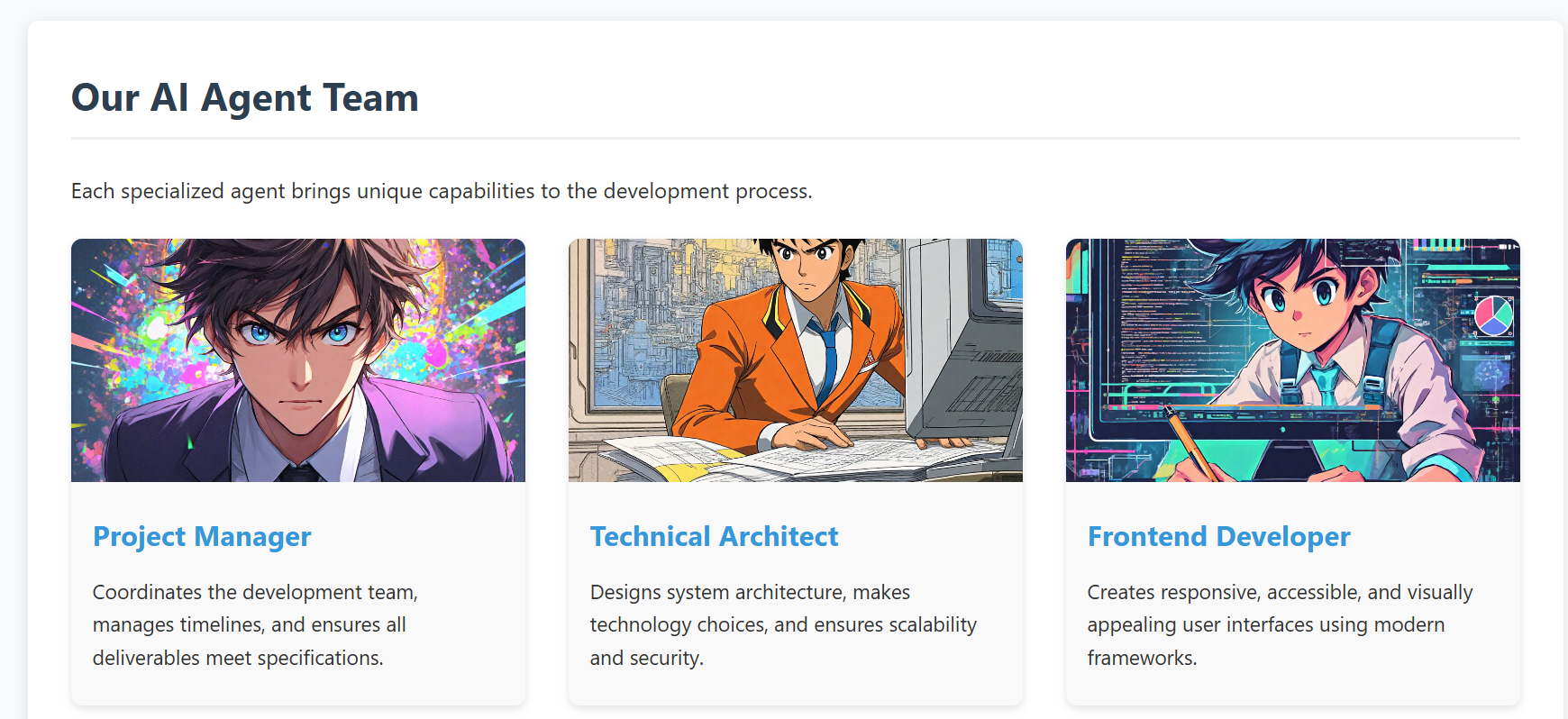
For a front-end integration example, see web-design-demo/.
This example demonstrates how to develop a real project using Cursor IDE, where you can generate and manage images directly within your development environment using our MCP tool 🛠️. No need to switch between different image generation tools or leave your IDE - everything can be done right in your development workflow ✨.
- screenshot of the demo web
API Reference
Multi-API Architecture
The project now supports multiple image generation APIs through a unified interface:
Supported APIs
- Tencent Hunyuan Image Generation API (Original)
- OpenAI DALL-E 3 API (New)
- Doubao Image Generation API (New)
Unified MCP Resources
providers://list- List all available providersstyles://list- List all styles from all providersresolutions://list- List all resolutions from all providersstyles://provider/{provider_name}- Get styles for specific providerresolutions://provider/{provider_name}- Get resolutions for specific provider
Enhanced MCP Tools
generate_image- Multi-provider image generation with intelligent routing
Tencent Hunyuan Image Generation API
The project originally used and continues to support Tencent Hunyuan Image Generation API. Here are the key details:
API Endpoints
- Domain:
hunyuan.tencentcloudapi.com - Region:
ap-guangzhou(Currently only supports Guangzhou region) - Default API Rate Limit: 20 requests/second
- Concurrent Tasks: Default 1 task at a time
Task Flow
- Submit Task: Submit an asynchronous image generation task with text description
- Query Task: Get task status and results using task ID
- Result URL: Generated image URLs are valid for 1 hour
For detailed API documentation and pricing, please refer to:
OpenAI DALL-E 3 API
API Features
- High-quality image generation
- Automatic prompt optimization
- Multiple style options
- High-resolution output support
Doubao API (ByteDance)
API Features
- ByteDance's proprietary image generation model
- Balanced quality and speed
- Chinese and English prompt support
- Multiple artistic styles
RoadMap
-
Current Version
- ✅ Tencent Hunyuan image generation API
- ✅ OpenAI DALL-E 3 API integration
- ✅ Doubao API integration
- ✅ Multi-provider management system
- ✅ Intelligent provider selection
- ✅ Unified parameter interface
-
Future Plans
- Support more mainstream text-to-image model APIs, including:
- Alibaba Tongyi Wanxiang
- Baidu ERNIE-ViLG
- Stable Diffusion API
- Advanced features:
- Image editing and modification
- Batch image generation
- Style transfer capabilities
- Custom model fine-tuning support
- Enhanced MCP integration:
- Real-time generation progress
- Image history and management
- Advanced prompt templates
- Support more mainstream text-to-image model APIs, including:
Community contributions for more model integrations and new features are welcome!
Compatibility
-
This project has been verified to work with the Cursor and Windsurf IDE MCP integration.
-
windsurf is also supported to integrated now
-
screenshot of mcp tool call in windsurf
-
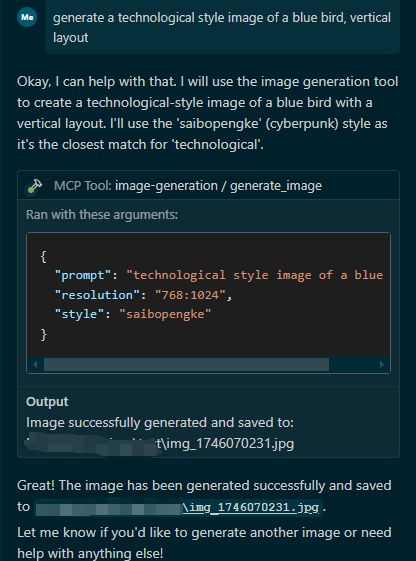
-
and the result as follows
-
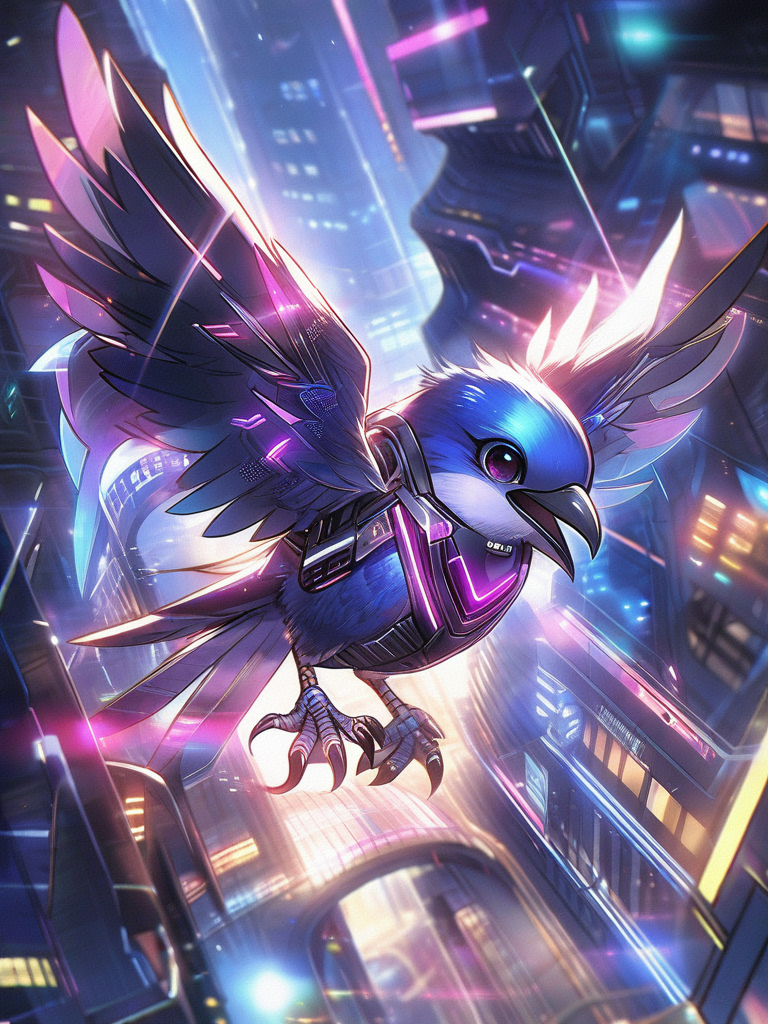
-
-
-
Future plans include supporting more IDEs and development environments compatible with the Model Context Protocol (MCP).
Acknowledgments
This project is built with FastMCP as the core framework, a powerful implementation of the Model Context Protocol. The MCP integration is based on:
- FastMCP: A fast, Pythonic way to build MCP servers
- MCP Python SDK: The official Python SDK for Model Context Protocol
We also use these excellent open-source projects:
- UV: A fast Python package installer and resolver
- Python-dotenv: Reads key-value pairs from .env file
- Tencentcloud-sdk-python: Official Tencent Cloud SDK for Python
Contributing
We welcome contributions of all kinds! Here are some ways you can help:
- 🐛 Report bugs and issues
- 💡 Suggest new features or improvements
- 🔧 Submit pull requests
- 🎨 Add support for more image generation models
Getting Started with Contributing
- Fork the repository
- Create your feature branch (
git checkout -b feature/AmazingFeature) - Commit your changes (
git commit -m 'feat: add some AmazingFeature') - Push to the branch (
git push origin feature/AmazingFeature) - Open a Pull Request
Please make sure to update tests as appropriate and follow the existing coding style.
We appreciate your interest in making this project better!
推荐服务器

Baidu Map
百度地图核心API现已全面兼容MCP协议,是国内首家兼容MCP协议的地图服务商。

Playwright MCP Server
一个模型上下文协议服务器,它使大型语言模型能够通过结构化的可访问性快照与网页进行交互,而无需视觉模型或屏幕截图。

Magic Component Platform (MCP)
一个由人工智能驱动的工具,可以从自然语言描述生成现代化的用户界面组件,并与流行的集成开发环境(IDE)集成,从而简化用户界面开发流程。

Audiense Insights MCP Server
通过模型上下文协议启用与 Audiense Insights 账户的交互,从而促进营销洞察和受众数据的提取和分析,包括人口统计信息、行为和影响者互动。

VeyraX
一个单一的 MCP 工具,连接你所有喜爱的工具:Gmail、日历以及其他 40 多个工具。

graphlit-mcp-server
模型上下文协议 (MCP) 服务器实现了 MCP 客户端与 Graphlit 服务之间的集成。 除了网络爬取之外,还可以将任何内容(从 Slack 到 Gmail 再到播客订阅源)导入到 Graphlit 项目中,然后从 MCP 客户端检索相关内容。

Kagi MCP Server
一个 MCP 服务器,集成了 Kagi 搜索功能和 Claude AI,使 Claude 能够在回答需要最新信息的问题时执行实时网络搜索。

e2b-mcp-server
使用 MCP 通过 e2b 运行代码。

Neon MCP Server
用于与 Neon 管理 API 和数据库交互的 MCP 服务器

Exa MCP Server
模型上下文协议(MCP)服务器允许像 Claude 这样的 AI 助手使用 Exa AI 搜索 API 进行网络搜索。这种设置允许 AI 模型以安全和受控的方式获取实时的网络信息。