
Nutrient Document Engine MCP Server
Enables AI agents and users to process documents through natural language, supporting PDF operations like text extraction, redaction, splitting, form filling, annotations, and content search.
README
Nutrient Document Engine MCP Server
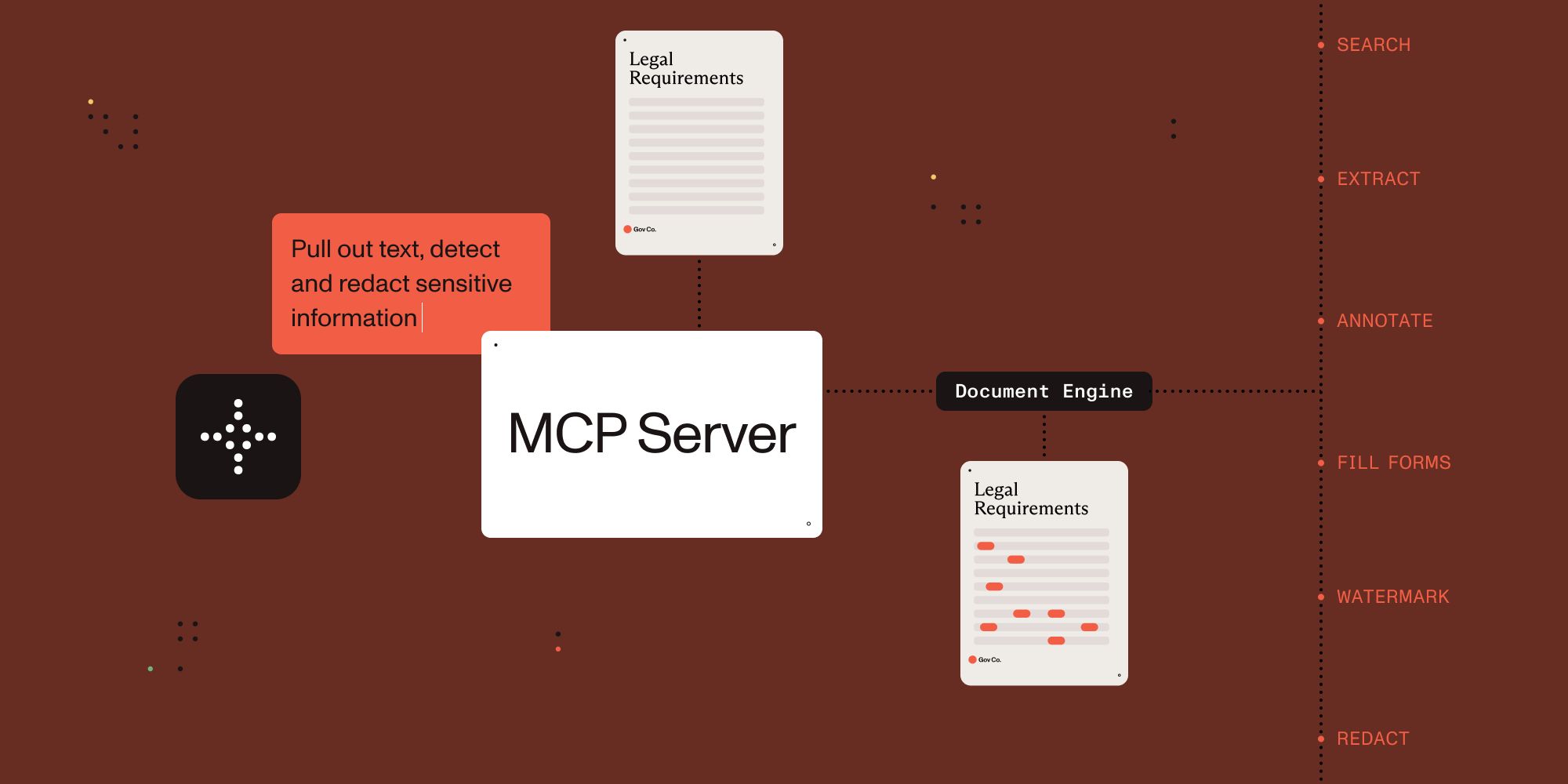

Connect AI agents to document processing.
This MCP server exposes document processing capabilities through natural language, supporting both direct human interaction and AI agent tool calling.
Example Conversations
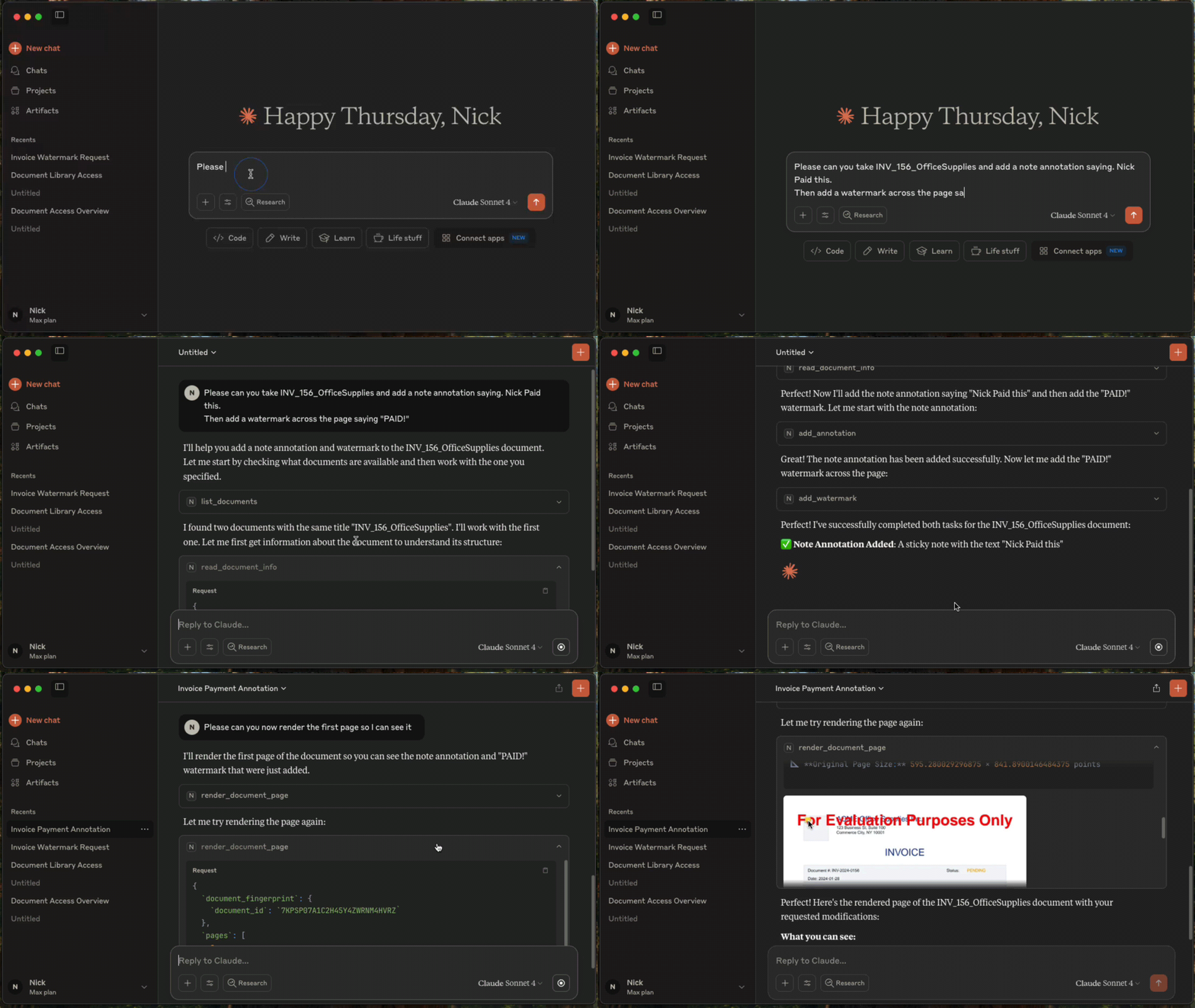
Once configured, you (or your agent) can interact with documents through natural language:
You: "What documents do I have available?"
AI: "I can see you have 3 documents: annual-report.pdf, contract-draft.pdf, and tax-form-2023.pdf. Would you like me to analyze any of these?"
You: "Extract all the names and phone numbers from these invoices"
AI: "I found 12 contacts: John Smith (555-0123), Sarah Johnson (555-0456)..."
You: "Redact all social security numbers from these tax forms"
AI: "I've identified and redacted 3 SSNs across 2 documents. The redacted versions are ready."
You: "Split this 50-page contract into separate sections"
AI: "I've split the contract into 5 sections: Terms (pages 1-8), Payment (pages 9-15)..."
Setup with Claude Desktop
Prerequisites
- Claude Desktop - Download from Anthropic.
- Docker Compose - Download from Docker. For running Nutrient Document Engine locally.
- Node.js 18+ - This MCP server runs via
npx.
Licensing
Nutrient Document Engine runs with an evaluation license by default. Please see Removing Evaluation Limitations section on how to remove the evaluation limitations.
1. Start Nutrient Document Engine
Open a terminal window, then run:
git clone https://github.com/PSPDFKit/nutrient-document-engine-mcp.git
cd nutrient-document-engine-mcp
docker-compose up -d
2. Connect Claude Desktop
Add this to your Claude Desktop config (Settings → Developer → Edit Config):
{
  "mcpServers": {
    "nutrient-document-engine": {
      "command": "npx",
      "args": ["-y", "@nutrient-sdk/document-engine-mcp-server"],
      "env": {
        "DASHBOARD_USERNAME": "admin",
        "DASHBOARD_PASSWORD": "password",
        "DOCUMENT_ENGINE_BASE_URL": "http://localhost:5000",
        "DOCUMENT_ENGINE_API_AUTH_TOKEN": "secret"
      }
    }
  }
}
3. Restart Claude Desktop
4. Upload and Process Documents
- Open your web browser and go to http://localhost:5100/dashboard.
- Upload the documents you want to work with by using the drag-and-drop interface.
- Switch back to Claude Desktop and ask questions like: "List my documents and extract text from the contract"
Features
This MCP server provides document processing tools in these areas:
Content Access: Extract text, search documents, render pages as images, extract form data and table structures.
Document Editing: Split documents, add watermarks, duplicate documents, fill PDF forms.
Security: Create and apply redactions for sensitive data using preset patterns (SSNs, credit cards, etc.) or custom regex.
Annotations: Add, read, and delete document annotations including highlights, notes, and stamps.
System: Document discovery, metadata retrieval, and health monitoring.
Use with Other AI Platforms
This MCP server works with any AI platform that supports the Model Context Protocol:
- Claude Desktop - Quick setup with the configuration above.
- LangGraph - Integrate with LangGraph agents for complex workflows.
- OpenAI APIs - Connect through MCP-compatible frameworks.
- Custom agents - Any MCP-compatible AI system.
Examples and Documentation
Examples
- LangGraph Document Processing - Workflow examples for contract processing, form filling, and report generation.
- OpenAI Agents SDK Document Processing - Workflow examples for contract processing, form filling, and report generation.
- Document Chat Interface - Web application with React and LangGraph.
- Procurement AI Agent - An AI Agent written with Langgraph.js, that classifies and collates POs, invoices, and payment documents into groups and flags for human review
Documentation
- Configuration Guide - Environment variables, transport modes, dashboard.
- Features Reference - Detailed description of all document processing tools.
- Evaluation Framework - Testing and benchmarking tools.
Removing Evaluation Watermarks and Limitations
Document Engine runs in evaluation mode with limitations by default. To remove them:
- Contact Sales to purchase a license from Nutrient
- Configure your license by setting the
ACTIVATION_KEYenvironment variable in your Docker Compose configuration or Document Engine setup - Restart Document Engine to apply the license
For detailed licensing configuration, see the Document Engine licensing guide.
Server Based Document Engine Setups
On-Premise Installation: Follow the Nutrient Document Engine installation guide.
Managed Cloud: Use a hosted Document Engine instance - setup guide.
Contributing
We welcome contributions! See CONTRIBUTING.md for development setup, testing guidelines, and how to submit pull requests.
License
MIT License - see LICENSE file for details.
推荐服务器

Baidu Map
百度地图核心API现已全面兼容MCP协议,是国内首家兼容MCP协议的地图服务商。

Playwright MCP Server
一个模型上下文协议服务器,它使大型语言模型能够通过结构化的可访问性快照与网页进行交互,而无需视觉模型或屏幕截图。

Magic Component Platform (MCP)
一个由人工智能驱动的工具,可以从自然语言描述生成现代化的用户界面组件,并与流行的集成开发环境(IDE)集成,从而简化用户界面开发流程。

Audiense Insights MCP Server
通过模型上下文协议启用与 Audiense Insights 账户的交互,从而促进营销洞察和受众数据的提取和分析,包括人口统计信息、行为和影响者互动。

VeyraX
一个单一的 MCP 工具,连接你所有喜爱的工具:Gmail、日历以及其他 40 多个工具。

graphlit-mcp-server
模型上下文协议 (MCP) 服务器实现了 MCP 客户端与 Graphlit 服务之间的集成。 除了网络爬取之外,还可以将任何内容(从 Slack 到 Gmail 再到播客订阅源)导入到 Graphlit 项目中,然后从 MCP 客户端检索相关内容。

Kagi MCP Server
一个 MCP 服务器,集成了 Kagi 搜索功能和 Claude AI,使 Claude 能够在回答需要最新信息的问题时执行实时网络搜索。

e2b-mcp-server
使用 MCP 通过 e2b 运行代码。

Neon MCP Server
用于与 Neon 管理 API 和数据库交互的 MCP 服务器

Exa MCP Server
模型上下文协议(MCP)服务器允许像 Claude 这样的 AI 助手使用 Exa AI 搜索 API 进行网络搜索。这种设置允许 AI 模型以安全和受控的方式获取实时的网络信息。