
PowerPoint MCP Server
Automate PowerPoint with AI through live COM automation, enabling AI assistants to build and edit real .pptx presentations via natural language.
README
PowerPointMcp — MCP Server & CLI for Microsoft PowerPoint






Automate PowerPoint with AI — a Model Context Protocol server and CLI
for live, real-time PowerPoint automation through conversational AI. Sibling project to
mcp-server-excel, following the same layered
architecture: ComInterop → Core → CLI / MCP Server.
MCP Server for PowerPoint enables AI assistants (GitHub Copilot, Claude, ChatGPT) to build and
edit real .pptx presentations through natural language — slides, shapes, text, tables, charts,
speaker notes, and layouts — no VBA or PowerPoint object-model knowledge required.
🛡️ Live COM automation, not file parsing — Most PowerPoint MCP servers manipulate .pptx
files offline with libraries like python-pptx, or use agent-run scripts with LibreOffice-rendered
thumbnails. This project instead drives a live, real PowerPoint desktop instance via
Microsoft.Office.Interop.PowerPoint — the official Primary Interop Assembly. That means
true-fidelity rendering, compatibility with an already-open deck, and zero risk of producing a
.pptx that PowerPoint itself can't open, because PowerPoint is the one writing it.
🖼️ Export-to-verify — the core differentiator. After any visual edit, export the slide (or the
whole deck) to an image with export(action="export-slide-to-image", ...) /
export(action="export-all-slides-to-images", ...) and let a
vision-capable AI assistant see the result — catching overlapping shapes, text overflow, and
layout regressions that text-only automation simply cannot detect.
Technical Requirements:
- ⚠️ Windows Only — COM interop is Windows-specific
- ⚠️ PowerPoint Required — Microsoft PowerPoint 2016 or later must be installed
- ⚠️ Desktop Environment — controls a real PowerPoint process (not for server-side processing)
[!TIP] Also automating spreadsheets? Check out Excel MCP Server — the sister project, built the same way.
🎯 What You Can Do
13 MCP tools with 141 operations across 13 domains:
- 🗂️ Presentation (12 ops) — create, open, save, close, list sessions, apply a
.potx/.pptxtemplate's masters/theme/layouts, read the current theme name, read/write built-in and custom document properties - 📑 Slide (14 ops) — add, count, delete, duplicate, reorder, per-slide background color, sections
- ▭ Shape (36 ops) — rectangles, text boxes, auto shapes, lines, connectors, fill/line/shadow, rotation, flip, z-order, grouping, naming, alt text
- ✏️ TextFrame (20 ops) — text, font size/name/color, bold, italic, underline, alignment, bullets
- 📊 Table (12 ops) — add, cell text, insert/delete rows & columns, cell fill/border, merge cells
- 🗣️ Notes (2 ops) — set/get speaker notes
- 🖼️ Layout (4 ops) — set/get slide layout
- 🎭 Master (10 ops) — slide master title/body placeholder fonts, background color
- 🎬 Animation (5 ops) — shape entrance/emphasis/exit effects, slide transitions
- 🖼️ Image (7 ops) — insert and adjust pictures (brightness, contrast, recolor, crop)
- 📈 Chart (10 ops) — add chart, multi-series data, titles, axis titles, legend
- 🔀 SmartArt (7 ops) — insert and edit SmartArt diagrams
- 🖼️ Export (2 ops) — export a slide, or all slides, to images for visual verification
Every domain is exposed as a single action-dispatch tool (e.g. shape, table, chart,
presentation) with an action parameter selecting the specific operation — keeping the tool
list small for AI assistants while still exposing every operation.
📚 Complete Feature Reference → — detailed documentation of every tool and operation
💬 Example Prompts
Build a deck from scratch:
- "Create a new presentation with a title slide and three content slides about our Q3 results, then export it as images so I can see it."
Tables & charts:
- "Add a 4x3 table summarizing this data, then add a bar chart next to it."
Formatting & shapes:
- "Make the title bold and blue, and move the logo to the top-right corner."
Speaker notes:
- "Write speaker notes for each slide summarizing the key talking point."
Templates & themes:
- "Apply our corporate template to this deck without losing any of the slide content."
Visual verification:
- "Export slide 3 as an image and tell me if the chart overlaps the text box."
👥 Who Should Use This?
Perfect for:
- ✅ AI assistants and coding agents that need to build or edit
.pptxdecks - ✅ Anyone automating repetitive slide-deck workflows (reports, status decks, templates)
- ✅ Teams that want export-to-verify visual checks on every automated edit
Not suitable for:
- ❌ Server-side/headless processing (this drives a real desktop PowerPoint process)
- ❌ Linux/macOS users (Windows + PowerPoint installation required)
🚀 Quick Start
| Platform | Installation |
|---|---|
| VS Code | Install Extension (one-click, recommended) |
| Claude Desktop | Download .mcpb from latest release |
| Any MCP Client | Download mcp-powerpoint.exe from latest release and add to PATH |
| Details | 📖 Full Installation Guide → |
⚠️ Important: Close any open instances of the target file before automating it — the server needs exclusive access to the presentation while it's driving PowerPoint.
🔧 CLI vs MCP Server
This project provides both a CLI and an MCP Server interface. Choose based on your use case:
| Interface | Best For | Why |
|---|---|---|
CLI (pptcli / powerpointcli.exe) |
Coding agents (Copilot, Cursor, Windsurf) + scripting | Single tool, no large schemas — better for cost-sensitive, high-throughput automation. |
MCP Server (mcp-powerpoint) |
Conversational AI (Claude Desktop, VS Code Chat) | Rich tool discovery, persistent session. Better for interactive, exploratory workflows. |
Manual installation:
# Primary: Download standalone executables from latest release (no .NET runtime required)
# https://github.com/sbroenne/mcp-server-powerpoint/releases/latest
# - PowerPointMcp-MCP-Server-{version}-windows.zip → extract mcp-powerpoint.exe
# - PowerPointMcp-CLI-{version}-windows.zip → extract powerpointcli.exe

# Secondary: Install via .NET tool (requires .NET 10 runtime)
dotnet tool install --global Sbroenne.PowerPointMcp.McpServer
dotnet tool install --global Sbroenne.PowerPointMcp.CLI

# After installing either way, auto-configure your coding agents:
npx add-mcp "mcp-powerpoint" --name powerpoint-mcp
# Optional: Install the agent skill for better AI guidance
npx skills add sbroenne/mcp-server-powerpoint --skill powerpoint-mcp
💡 The VS Code extension installs this skill automatically. Manual
npx skills addis for other MCP clients (Claude Code, Cursor, Windsurf, etc.).
⚙️ How It Works - COM Automation & Unified Service Architecture
PowerPointMcp uses Windows COM automation to control the actual PowerPoint application (not
just .pptx files).
The MCP Server and CLI are two equal, first-class entry points. Each hosts its own PowerPointMcp Service that manages presentation sessions — the MCP Server runs it in-process (direct calls, no pipe), while the CLI uses a background daemon over a named pipe so sessions persist across CLI invocations:
┌──────────────────────┐        ┌──────────────────────┐
│  MCP Server          │        │  CLI (pptcli)        │
│  (AI assistants)     │        │  (coding agents)     │
└──────────┬───────────┘        └──────────┬───────────┘
           │ in-process                     │ named pipe →
           │ (direct calls)                 │ background daemon
           ▼                                ▼
┌──────────────────────┐        ┌──────────────────────┐
│  PowerPointMcp       │        │  PowerPointMcp       │
│  Service             │        │  Service             │
│  (session mgmt)      │        │  (daemon; sessions   │
│                      │        │   persist across     │
│                      │        │   CLI invocations)   │
└──────────┬───────────┘        └──────────┬───────────┘
           ▼                                ▼
      Core Commands                    Core Commands
           ▼                                ▼
┌──────────────────────┐        ┌──────────────────────┐
│  PowerPoint COM API  │        │  PowerPoint COM API  │
│  (PowerPoint.        │        │  (PowerPoint.        │
│   Application)       │        │   Application)       │
└──────────────────────┘        └──────────────────────┘
Both entry points share the same Core Commands codebase, so every operation behaves identically. They are separate processes, though: each runs its own PowerPointMcp Service and its own PowerPoint instance, and they do not share live sessions with each other.
Key Benefits:
- ✅ Two equal entry points — every operation works identically through the MCP Server and the CLI
- ✅ Persistent CLI sessions — the CLI daemon keeps presentations open across multiple
pptclicalls, so scripts don't re-open files each time - ✅ In-process MCP calls — the MCP Server runs the service in-process (no pipe) for low-latency automation
- ✅ Real PowerPoint automation — drives the actual
PowerPoint.Applicationvia COM, not just file parsing - ✅ Export-to-verify — close the loop on every visual change with a real rendered image
⭐ GitHub Star History
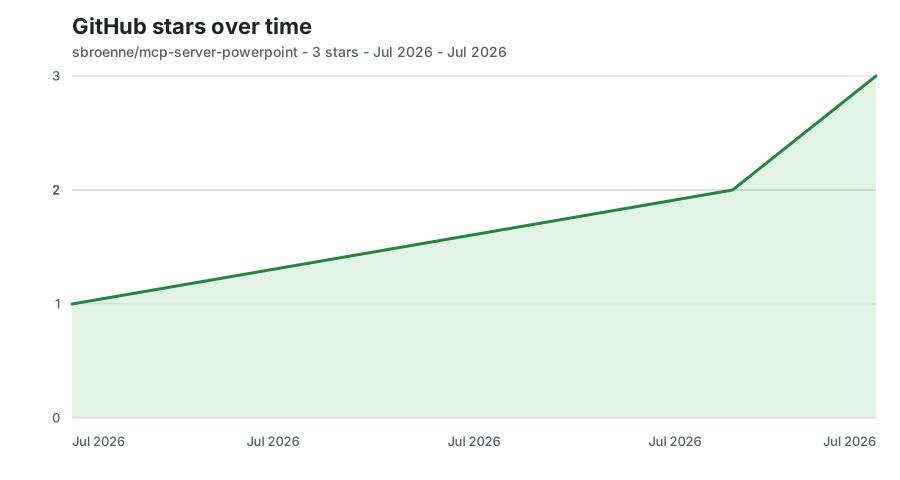
Updated daily from GitHub's stargazer data.
📋 Additional Information
📚 MCP Server Guide → | CLI Guide → | Agent Skills →
📖 Complete Feature Reference • Installation Guide • Changelog • Contributing • Security • Privacy
License: MIT License — see LICENSE
Built With: This entire project was developed using GitHub Copilot AI assistance.
Acknowledgments:
- Microsoft PowerPoint Team — for comprehensive COM automation APIs
- Model Context Protocol community — for the AI integration standard
- mcp-server-excel — the sibling project this architecture and tooling is ported from
Related Projects
Other projects by the author:
- Excel MCP Server — AI-powered Excel automation via Power Query, DAX, VBA, and PivotTables
- Windows MCP Server — AI-powered Windows automation via MCP
- OBS Studio MCP Server — AI-powered OBS Studio automation
- pytest-skill-engineering — LLM-powered testing framework for AI agents
推荐服务器

Baidu Map
百度地图核心API现已全面兼容MCP协议,是国内首家兼容MCP协议的地图服务商。

Playwright MCP Server
一个模型上下文协议服务器,它使大型语言模型能够通过结构化的可访问性快照与网页进行交互,而无需视觉模型或屏幕截图。

Magic Component Platform (MCP)
一个由人工智能驱动的工具,可以从自然语言描述生成现代化的用户界面组件,并与流行的集成开发环境(IDE)集成,从而简化用户界面开发流程。

Audiense Insights MCP Server
通过模型上下文协议启用与 Audiense Insights 账户的交互,从而促进营销洞察和受众数据的提取和分析,包括人口统计信息、行为和影响者互动。

VeyraX
一个单一的 MCP 工具,连接你所有喜爱的工具:Gmail、日历以及其他 40 多个工具。

graphlit-mcp-server
模型上下文协议 (MCP) 服务器实现了 MCP 客户端与 Graphlit 服务之间的集成。 除了网络爬取之外,还可以将任何内容(从 Slack 到 Gmail 再到播客订阅源)导入到 Graphlit 项目中,然后从 MCP 客户端检索相关内容。

Kagi MCP Server
一个 MCP 服务器,集成了 Kagi 搜索功能和 Claude AI,使 Claude 能够在回答需要最新信息的问题时执行实时网络搜索。

e2b-mcp-server
使用 MCP 通过 e2b 运行代码。

Neon MCP Server
用于与 Neon 管理 API 和数据库交互的 MCP 服务器

Exa MCP Server
模型上下文协议(MCP)服务器允许像 Claude 这样的 AI 助手使用 Exa AI 搜索 API 进行网络搜索。这种设置允许 AI 模型以安全和受控的方式获取实时的网络信息。