
Teradata MCP Server
Enables AI agents and users to query, analyze, and manage Teradata databases through modular tools for search, data quality, administration, and data science operations. Provides comprehensive database interaction capabilities including RAG applications, feature store management, and vector operations.
README
<p align="center"> <!-- Optional: replace with a logo if you have one --> <!-- <img src="docs/media/logo.svg" alt="Teradata MCP Server" width="120"> -->
</p>
<h1 align="center">Teradata MCP Server</h1>
<p align="center"> <a href="https://github.com/Teradata/teradata-mcp-server/blob/main/docs/README.md"> <img alt="docs" src="https://img.shields.io/badge/docs-readme-555?logo=readthedocs"> </a> <a href="https://github.com/Teradata/teradata-mcp-server/releases"> <img alt="release" src="https://img.shields.io/github/v/release/Teradata/teradata-mcp-server?display_name=tag&sort=semver"> </a> <a href="https://pypi.org/project/teradata-mcp-server/"> <img alt="PyPI" src="https://img.shields.io/pypi/v/teradata-mcp-server"> </a> <a href="https://pypi.org/project/teradata-mcp-server/"> <img alt="downloads" src="https://img.shields.io/pypi/dm/teradata-mcp-server?label=downloads&color=2ea44f"> </a> <a href="./examples/app-flowise/flowise_teradata_agents/README.md"> <img alt="docs" src="https://img.shields.io/badge/Teradata--Agents-Setup-green"> </a> </p>
<p align="center"> Model Context Protocol (MCP) server for Teradata </p>
<p align="center"> ✨ <a href="https://github.com/Teradata/teradata-mcp-server?tab=readme-ov-file#quick-start-with-claude-desktop-no-installation">Quickstart with Claude Desktop </a> or <a href="https://github.com/Teradata/teradata-mcp-server/blob/main/docs/README.md#-quick-start"> your favorite tool</a> in <5 minute ✨ </p>
Overview
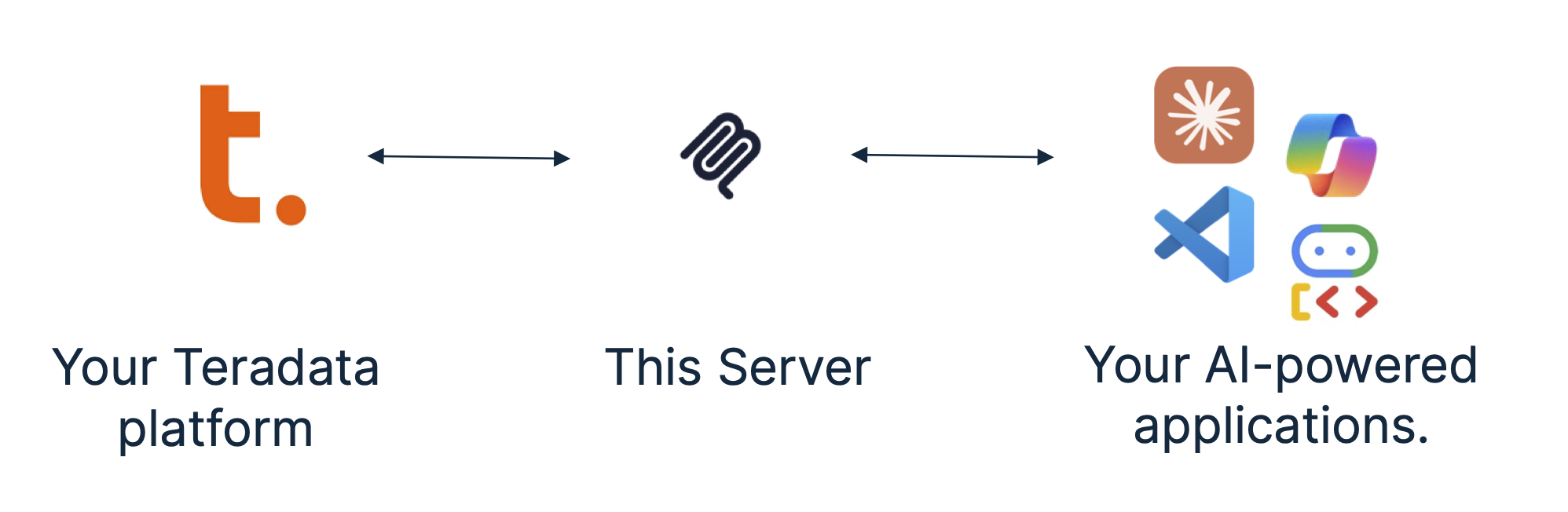
The Teradata MCP server provides sets of tools and prompts, grouped as modules for interacting with Teradata databases. Enabling AI agents and users to query, analyze, and manage their data efficiently.
Key features
Available tools and prompts
We are providing groupings of tools and associated helpful prompts to support all type of agentic applications on the data platform.
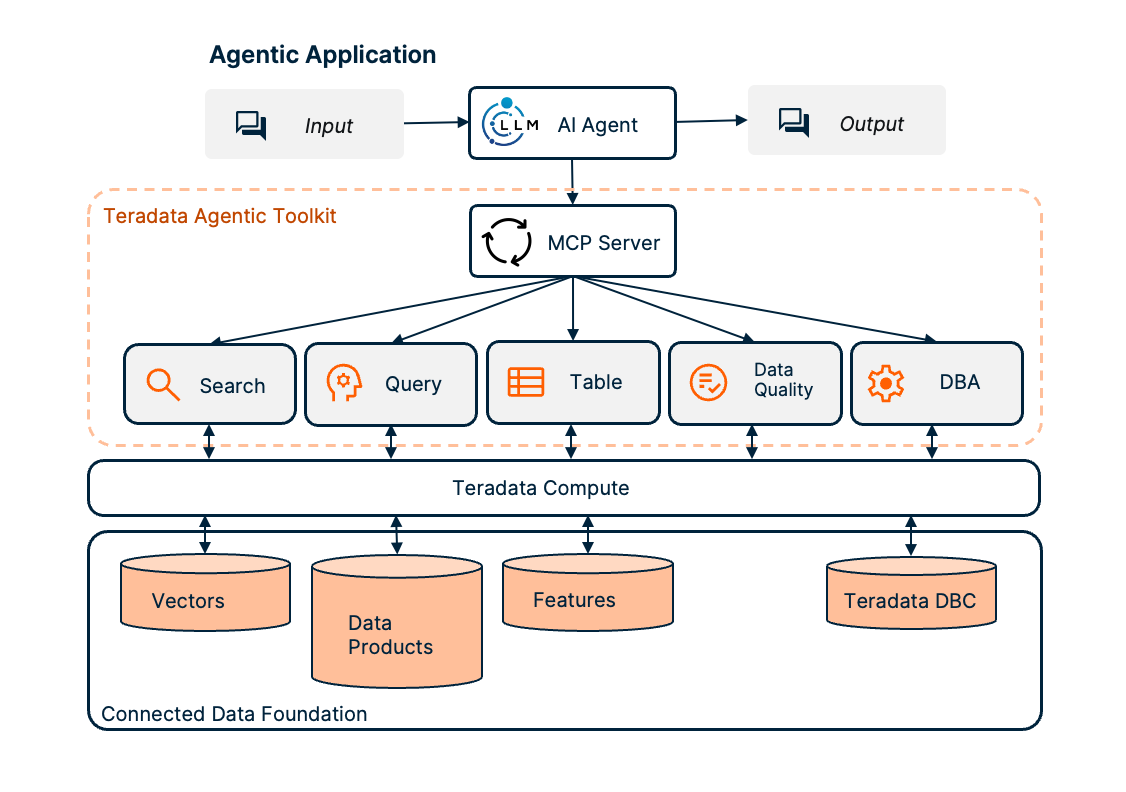
- Search tools, prompts and resources to search and manage vector stores.
- RAG Tools rapidly build RAG applications.
- Query tools, prompts and resources to query and navigate your Teradata platform:
- Table tools, to efficiently and predictably access structured data models:
- Feature Store Tools to access and manage the Teradata Enterprise Feature Store.
- Semantic layer definitions to easily implement domain-specific tools, prompts and resources for your own business data models.
- Data Quality tools, prompts and resources accelerate exploratory data analysis:
- DBA tools, prompts and resources to facilitate your platform administration tasks:
- Data Scientist tools, prompts, and resources to build powerful AI agents and workflows for data-driven applications.
Quick start with Claude Desktop (no installation)
Prefer to use other tools? Check out our Quick Starts for VS Code/Copilot, Open WebUI, or dive into simple code examples! You can use Claude Desktop to give the Teradata MCP server a quick try, Claude can manage the server in the background using
uv. No permanent installation needed.
Pre-requisites
- Get your Teradata database credentials or create a free sandbox at Teradata Clearscape Experience.
- Install Claude Desktop.
- Install uv. If you are on MacOS, Use Homebrew:
brew install uv, on Windows you may usepip install uvas an alternative to the installer.
Configure the claude_desktop_config.json (Settings>Developer>Edit Config) by adding the configuration below, updating the database username, password and URL:
{
  "mcpServers": {
    "teradata": {
      "command": "uvx",
      "args": ["teradata-mcp-server"],
      "env": {
        "DATABASE_URI": "teradata://<USERNAME>:<PASSWORD>@<HOST_URL>:1025/<USERNAME>"
      }
    }
  }
}
Installation Instructions
Follow this process to install your server, connect it to your Teradata platform and integrated your tools.
Step 1. - Identify the running Teradata System, you need username, password and host details. If you do not have a Teradata system to connect to, then leverage Teradata Clearscape Experience
Step 2. - To install, configure and run the MCP server, refer to the Teradata MCP Server Documentation.
Step 3. - There are many client options available, the Client Guide explains how to configure and run a sample of different clients.
<br>
Check out our libraries of curated examples or video guides.
<br>
Contributing
Please refer to the Contributing guide and the Developer Guide.
Certification
<a href="https://glama.ai/mcp/servers/@Teradata/teradata-mcp-server"> <img width="380" height="200" src="https://glama.ai/mcp/servers/@Teradata/teradata-mcp-server/badge" alt="Teradata Server MCP server" /> </a>
推荐服务器

Baidu Map
百度地图核心API现已全面兼容MCP协议,是国内首家兼容MCP协议的地图服务商。

Playwright MCP Server
一个模型上下文协议服务器,它使大型语言模型能够通过结构化的可访问性快照与网页进行交互,而无需视觉模型或屏幕截图。

Audiense Insights MCP Server
通过模型上下文协议启用与 Audiense Insights 账户的交互,从而促进营销洞察和受众数据的提取和分析,包括人口统计信息、行为和影响者互动。

Magic Component Platform (MCP)
一个由人工智能驱动的工具,可以从自然语言描述生成现代化的用户界面组件,并与流行的集成开发环境(IDE)集成,从而简化用户界面开发流程。

VeyraX
一个单一的 MCP 工具,连接你所有喜爱的工具:Gmail、日历以及其他 40 多个工具。

Kagi MCP Server
一个 MCP 服务器,集成了 Kagi 搜索功能和 Claude AI,使 Claude 能够在回答需要最新信息的问题时执行实时网络搜索。

graphlit-mcp-server
模型上下文协议 (MCP) 服务器实现了 MCP 客户端与 Graphlit 服务之间的集成。 除了网络爬取之外,还可以将任何内容(从 Slack 到 Gmail 再到播客订阅源)导入到 Graphlit 项目中,然后从 MCP 客户端检索相关内容。

e2b-mcp-server
使用 MCP 通过 e2b 运行代码。

Neon MCP Server
用于与 Neon 管理 API 和数据库交互的 MCP 服务器

Exa MCP Server
模型上下文协议(MCP)服务器允许像 Claude 这样的 AI 助手使用 Exa AI 搜索 API 进行网络搜索。这种设置允许 AI 模型以安全和受控的方式获取实时的网络信息。