
VeritasGraph
Zero-trust, air-gapped Enterprise GraphRAG MCP server. Build knowledge graphs from local documents and run multi-hop, citation-grounded queries entirely offline with Ollama.
README
VeritasGraph — The Governed, On-Prem GraphRAG & Agent Framework
Stop chunking blindly. Combine Tree-Search structure with Knowledge-Graph reasoning — and wire it into governed AI agents. Runs 100% locally or in the cloud.
<img src="https://github.com/bibinprathap/VeritasGraph/blob/restored-main/VeritasGraph.jpeg?raw=true" alt="VeritasGraph Logo" width="140">



🎯 Traditional RAG guesses based on similarity. VeritasGraph reasons based on structure. Don't just find the document — understand the connection, then act on it with governed agents.
⭐ Star · 🍴 Fork · 💬 Discuss · 🐛 Report a bug
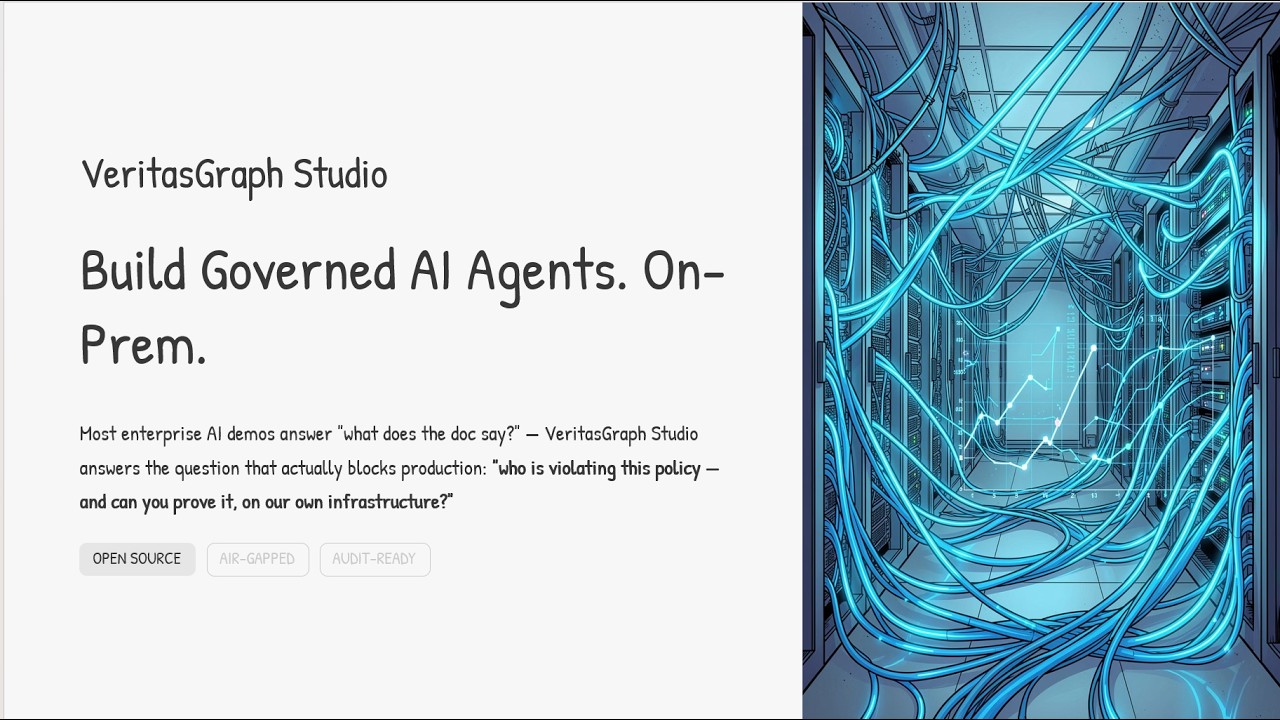
📚 Featured Guide — Build Governed AI Agents On-Prem
A complete walkthrough of designing, wiring, and shipping governed AI agents entirely on your own infrastructure.
📄 Read the guide: Build Governed AI Agents On-Prem (PDF)
🚀 Quick Start (2 lines, no GPU)
pip install veritasgraph
veritasgraph demo --mode=lite
That's it — an interactive demo using cloud APIs (OpenAI/Anthropic), no local models required.
| Mode | Best For | Requirements |
|---|---|---|
--mode=lite |
Quick demo, no GPU | OpenAI/Anthropic API key |
--mode=local |
Privacy, offline use | Ollama + 8GB RAM |
--mode=full |
Production, all features | Docker + Neo4j |
export OPENAI_API_KEY="sk-..."        # Lite: cloud APIs, zero setup
veritasgraph demo --mode=lite

veritasgraph demo --mode=local --model=llama3.2   # 100% offline with Ollama
veritasgraph start --mode=full                    # full GraphRAG pipeline
<p align="center"> <a href="https://colab.research.google.com/github/bibinprathap/VeritasGraph/blob/restored-main/graphrag-ollama-config/cookbook/veritasgraph_demo.ipynb"><img src="https://img.shields.io/badge/Open%20in%20Colab-Vectorless%20RAG-blue?logo=googlecolab" alt="Colab: Vectorless RAG"/></a> <a href="https://colab.research.google.com/github/bibinprathap/VeritasGraph/blob/restored-main/graphrag-ollama-config/cookbook/vision_native_rag.ipynb"><img src="https://img.shields.io/badge/Open%20in%20Colab-Vision%20RAG-blue?logo=googlecolab" alt="Colab: Vision RAG"/></a> <a href="https://colab.research.google.com/github/bibinprathap/VeritasGraph/blob/restored-main/cookbook/test_hierarchical_tree_accuracy.ipynb"><img src="https://img.shields.io/badge/Open%20in%20Colab-Tree%20Accuracy-blue?logo=googlecolab" alt="Colab: Tree Accuracy"/></a> </p>
Useful links: ⚡ Live docs · 🎮 Live demo · 📖 Article · 📄 Research paper
🛠️ VeritasGraph Studio — Build, wire & test governed agents locally
Studio is a local Agent Build Workspace (FastAPI + single-page UI) that lets you build a knowledge graph from your own documents and wire it into agents alongside tools, memory, data logging, guardrails, and headroom-style context budgeting — then chat with those agents live and watch every stage of the orchestration pipeline. Everything runs 100% locally against Ollama.
<p align="center"> <img src="https://github.com/bibinprathap/VeritasGraph/blob/restored-main/studio.png?raw=true" alt="VeritasGraph Studio — playground with live orchestration pipeline" width="90%"> </p>
🎮 Try the Studio Live — stable URL that always redirects to the current running studio tunnel.
Run it:
pip install -r requirements.txt
ollama serve & ollama pull qwen3:latest          # any local chat model
STUDIO_DATA_DIR="$PWD/studio_api/data" \
  uvicorn studio_api.main:app --host 127.0.0.1 --port 8200 --log-level warning
# Studio UI → http://localhost:8200/studio   ·   API docs → /docs
One-command end-to-end demo (builds a graph + drives a fully-wired agent through graph reasoning, memory recall, PII redaction, and a guardrail block):
python3 demos/agent-studio/sample_pipeline.py --model qwen3:latest
<details> <summary><b>What's inside — full Studio feature set</b></summary>
- 🧩 Knowledge Graph builder & explorer — ingest text, extract entities/relationships locally, inspect nodes/edges with grounded evidence.
- 🔎 Graph Q&A with citations — multi-hop answers backed by
[doc#chunk]source attribution. - 🤖 Agent workspace — create/edit agents with model selection, prompt/persona settings, and per-agent capability toggles.
- 🔀 Governed orchestration pipeline — per-turn flow of Guardrails → Memory → Knowledge Graph → Headroom budget → Tools → Data log, with full trace visibility.
- 🧰 Editable tools catalog — add, edit, enable/disable, test, and delete tools directly in Studio.
- 🌐 External real tool support — call real HTTP endpoints with configurable method, auth header, and custom headers.
- 🔌 MCP bridge integrations — local MCP proxy connectors (e.g. Chrome DevTools MCP, Unity MCP) with health-aware probing.
- 🛡️ Guardrails — PII redaction and policy-block controls with visible guardrail-block metrics.
- 🧠 Memory + Data logs — per-agent short-term memory and interaction-log persistence.
- 📈 Evaluation & fine-tune simulation — run eval suites, track pass-rate trends, and queue/monitor fine-tune jobs.
- 💬 Playground — run governed agent conversations live and inspect the pipeline trace.
- 📊 KPI dashboard — active agents, connected tools, eval pass rate, and guardrail-block counters.
See studio_api/README.md for API and architecture, and docs/STUDIO_ENTERPRISE_TEST.md for enterprise test scenarios.
</details>
🌳 + 🔗 Graph + Tree: the ultimate retrieval
Why choose? VeritasGraph includes the hierarchical "Table of Contents" navigation of PageIndex PLUS the semantic reasoning of a Knowledge Graph.
Document Root
├── [1] Introduction
│   ├── [1.1] Background ←── Tree Navigation
│   └── [1.2] Objectives
├── [2] Methodology ←───────── Graph Links
│   └── relates_to ──────────→ [3.1] Findings
└── [3] Results
📊 Feature comparison
| Feature | Vector RAG | PageIndex | VeritasGraph |
|---|---|---|---|
| Retrieval type | Similarity | Tree search | 🏆 Tree + Graph reasoning |
| Attribution | ❌ Low | ⚠️ Medium | ✅ 100% verifiable |
| Multi-hop reasoning | ❌ | ❌ | ✅ |
| Tree navigation (TOC) | ❌ | ✅ | ✅ |
| Semantic search | ✅ | ❌ | ✅ |
| Cross-section linking | ❌ | ❌ | ✅ |
| Visual graph explorer | ❌ | ❌ | ✅ Built-in UI |
| 100% local/private | ⚠️ Varies | ❌ Cloud | ✅ On-premise |
| Open source | ⚠️ Varies | ❌ Proprietary | ✅ MIT license |
<p align="center"> <img src="assets/veritasgraph-comparison.svg" alt="Traditional RAG vs VeritasGraph comparison" width="100%"> </p>
🎬 See it in action

<p align="center"> <a href="https://youtu.be/NGVDQbkY1wE"><img src="https://img.youtube.com/vi/NGVDQbkY1wE/maxresdefault.jpg" alt="Watch VeritasGraph build reasoning paths in real time" width="45%"></a> <a href="https://www.youtube.com/watch?v=8fz8RWgL04Y"><img src="https://img.youtube.com/vi/8fz8RWgL04Y/maxresdefault.jpg" alt="Convert charts & tables to knowledge graphs — Vision RAG tutorial" width="45%"></a> </p>
💡 What you're seeing: a query triggers multi-hop reasoning across the knowledge graph. Nodes light up as connections are discovered, showing exactly how the answer was found — not just what was found.
🔌 MCP Server — connect your IDE agent to VeritasGraph
VeritasGraph ships a dedicated Model Context Protocol server — the first zero-trust, air-gapped Enterprise GraphRAG server for MCP. Connect Claude Desktop, Cursor, VS Code, Windsurf, Cline, or Continue directly to the GraphRAG engine over JSON-RPC 2.0 stdio, with zero external data egress.
python -m veritasgraph_mcp # from repo root (needs local Ollama for ingest/query)
Tools: veritasgraph_ingest_document, veritasgraph_query (multi-hop answers with [doc#chunk] citations), veritasgraph_search_entities, veritasgraph_get_graph, veritasgraph_clear_graph. See veritasgraph_mcp/README.md for IDE registration snippets.
📖 Python API
from veritasgraph import VisionRAGPipeline

pipeline = VisionRAGPipeline()                 # auto-detects available models
doc = pipeline.ingest_pdf("document.pdf")
result = pipeline.query("What are the key findings?")
print(result.answer)
<details> <summary><b>🌳 Hierarchical tree navigation + graph search</b></summary>
from veritasgraph import VisionRAGPipeline

pipeline = VisionRAGPipeline()
doc = pipeline.ingest_pdf("report.pdf")

# View the document's hierarchical structure (like a Table of Contents)
print(pipeline.get_document_tree())
# Document Root
# ├── [1] Introduction (pp. 1-5)
# │   ├── [1.1] Background (pp. 1-2)
# │   └── [1.2] Objectives (pp. 3-5)
# └── [2] Methodology (pp. 6-15)

# Navigate to a specific section (tree-based retrieval)
section = pipeline.navigate_to_section("Methodology")
print(section['breadcrumb'])   # ['Document Root', 'Methodology']

# Or use graph-based semantic search
result = pipeline.query("What methodology was used?")
# → answer with section context: "📍 Location: Document > Methodology > Analysis Framework"
</details>
<details> <summary><b>🔧 Custom configuration & ingestion modes</b></summary>
from veritasgraph import VisionRAGPipeline, VisionRAGConfig

config = VisionRAGConfig(ingest_mode="document-centric")  # tables stay intact!
pipeline = VisionRAGPipeline(config)
doc = pipeline.ingest_pdf("annual_report.pdf")
| Mode | Description | Best For |
|---|---|---|
document-centric |
Whole pages/sections as nodes (default) | Most documents |
page |
Each page = one node | Slide decks, reports |
section |
Each section = one node | Structured documents |
chunk |
Traditional 500-token chunks | Legacy compatibility |
</details>
CLI
veritasgraph --version                                    # show version
veritasgraph info                                         # check dependencies
veritasgraph init my_project                              # initialize a project
veritasgraph ingest document.pdf --ingest-mode=document-centric   # Don't Chunk. Graph.
veritasgraph ingest https://youtube.com/watch?v=xxx       # auto-extract transcript
veritasgraph ingest https://example.com/article           # extract web article
Installation options
pip install veritasgraph            # basic (includes lite mode)
pip install veritasgraph[web]       # Gradio UI + visualization
pip install veritasgraph[graphrag]  # Microsoft GraphRAG integration
pip install veritasgraph[ingest]    # YouTube & web-article ingestion
pip install veritasgraph[all]       # everything
🏛️ Enterprise Compliance — VeritasGraph + VeritasReason
GraphRAG is brilliant at describing what your documents say. But enterprise questions like "Which purchase orders violated our Segregation-of-Duties policy last quarter?" are rule-evaluation problems over structured records — not similarity search.
For those, VeritasGraph ships a sister module: VeritasReason — a deterministic reasoning engine (forward-chaining + Rete + SPARQL) that fires policy rules over a triplet store and returns auditable answers with W3C PROV-O provenance.
 Policy PDFs ─┐                        ┌─ ingest_structured.py (SQL → triples + text)
              ▼                        ▼
      VeritasGraph GraphRAG      VeritasReason (TripletStore + RuleSet
      (quotes policy text)       + ForwardChainer + PROV-O)
              └──────────┬───────────────┘
                         ▼
             Compliance answer + violators table + clause citations
30-second smoke test (no install, stdlib only)
python tests/test_policy_compliance_demo.py
Seeds a fake ERP into a tiny in-memory triple store, evaluates four SoD rules from rules/sod_policy.yaml, and prints violators with citations:
✓ Reasoner fired. Detected 4 violation(s):
  po:PO-2204 SOD-01   Approved & paid by emp:E118
  po:PO-2301 SOD-02   Requested & approved by emp:E091
  po:PO-2317 SOD-03   $48,750.00 approved by emp:E091 (role:Manager, not Director)
  po:PO-2402 SOD-04   Vendor vendor:V77 related to approver emp:E140
Or install and run the packaged demo:
pip install veritas-reason
veritasreason-policy-demo
<p align="center"> <img src="https://github.com/bibinprathap/VeritasGraph/blob/restored-main/demos/policy-compliance/demo.gif?raw=true" alt="VeritasGraph + VeritasReason policy-compliance demo" width="80%"> </p>
The same pattern applies to leave-policy violations (HRIS attendance), expense-report fraud (ledger + receipts), clinical protocol breaches (EHR + guidelines), or KYC/AML (transactions + watchlists). Define the SQL → triple mapping in ingest_structured.py, write rules in rules/*.yaml, and ask in plain English. See veritas-reason/plan.md for a full walk-through.
🔗 Interactive Graph Visualization
VeritasGraph includes an interactive 2D knowledge-graph explorer (PyVis) that visualizes entities and relationships in real time.

| Feature | Description |
|---|---|
| Query-aware subgraph | Shows only entities related to your query |
| Community coloring | Nodes grouped by community membership |
| Red highlight | Query-related entities shown in red |
| Node sizing | Bigger nodes = more connections |
| Interactive | Drag, zoom, hover for entity details |
| Full graph explorer | View the entire knowledge graph |
⚙️ Provider Support (OpenAI-compatible)
VeritasGraph works with any OpenAI-compatible API — mix and match cloud and local:
| Provider | API Base | API Key | Example Model |
|---|---|---|---|
| Ollama (default) | http://localhost:11434/v1 |
ollama |
llama3.1-12k |
| OpenAI | https://api.openai.com/v1 |
sk-proj-... |
gpt-4-turbo-preview |
| Groq | https://api.groq.com/openai/v1 |
gsk_... |
llama-3.1-70b-versatile |
| Together AI | https://api.together.xyz/v1 |
your-key | Meta-Llama-3.1-70B-Instruct-Turbo |
| LM Studio | http://localhost:1234/v1 |
lm-studio |
(model loaded in LM Studio) |
Also supported: Azure OpenAI, OpenRouter, Anyscale, LocalAI, vLLM.
cd graphrag-ollama-config
cp settings_openai.yaml settings.yaml
cp .env.openai.example .env       # edit with your provider settings
python -m graphrag.index --root . --config settings_openai.yaml
python app.py
⚠️ Embeddings must match your index. If you indexed with
nomic-embed-text(768 dims), you must query with the same model — switching embedding models requires re-indexing. Full details in OPENAI_COMPATIBLE_API.md.
🐳 Deployment
Five-Minute Magic Onboarding (Docker)
Run a full stack (Ollama + Neo4j + Gradio) with one command:
cd docker/five-minute-magic-onboarding
# set your Neo4j password in .env, then:
docker compose up --build
Services: Gradio UI → http://127.0.0.1:7860 · Neo4j → http://localhost:7474 · Ollama → http://localhost:11434. See docker/five-minute-magic-onboarding/README.md.
Share with your team (free)
| Method | Duration | Local Ollama | Setup | Best For |
|---|---|---|---|---|
python app.py --share |
72 hours | ✅ | 1 min | Quick demos |
| Ngrok tunnel | Unlimited* | ✅ | 5 min | Team evaluation |
| Cloudflare tunnel | Unlimited* | ✅ | 5 min | Team evaluation |
| Hugging Face Spaces | Permanent | ❌ (cloud LLM) | 15 min | Public showcase |
*Free tier has some limitations.
🏗️ Architecture
graph TD
    subgraph "Indexing Pipeline (one-time)"
        A[Source Documents] --> B{Document Chunking};
        B --> C{"LLM Extraction<br/>(Entities & Relationships)"};
        C --> D[Vector Index];
        C --> E[Knowledge Graph];
    end
    subgraph "Query Pipeline (real-time)"
        F[User Query] --> G{Hybrid Retrieval Engine};
        G -- "1. Vector search for entry points" --> D;
        G -- "2. Multi-hop graph traversal" --> E;
        G --> H{Pruning & Re-ranking};
        H -- "Rich context" --> I{LoRA-Tuned LLM Core};
        I -- "Answer + provenance" --> J{Attribution Layer};
        J --> K[Attributed Answer];
    end
    style A fill:#f2f2f2,stroke:#333,stroke-width:2px
    style F fill:#e6f7ff,stroke:#333,stroke-width:2px
    style K fill:#e6ffe6,stroke:#333,stroke-width:2px
The four stages:
- Automated Knowledge Graph construction — chunk documents into
TextUnits, extract(head, relation, tail)triplets, assemble nodes + edges in a graph DB (e.g. Neo4j). - Hybrid retrieval engine — vector search finds entry nodes, multi-hop traversal uncovers hidden relationships, pruning & re-ranking keeps the most relevant facts.
- LoRA-tuned reasoning core — a locally hosted, LoRA-tuned open model generates attributed answers with efficient fine-tuning for reasoning + attribution.
- Attribution & provenance layer — propagates source IDs, chunks, and graph nodes into a structured, traceable JSON output.
<details> <summary><b>On-premise prerequisites</b></summary>
Hardware: 16+ CPU cores · 64GB+ RAM (128GB recommended) · NVIDIA GPU with 24GB+ VRAM (A100 / H100 / RTX 4090).
Software: Docker & Docker Compose · Python 3.10+ · NVIDIA Container Toolkit.
Copy .env.example → .env and populate with environment-specific values.
</details>
Why VeritasGraph?
- ✅ Fully on-premise & secure — 100% control over your data and models.
- ✅ Verifiable attribution — every claim traces back to its source.
- ✅ Advanced graph reasoning — answers complex, multi-hop questions.
- ✅ Hierarchical tree + graph — PageIndex-style TOC navigation with graph flexibility.
- ✅ Governed agents — guardrails, memory, tools, and context budgeting wired together in Studio.
- ✅ Open-source & sovereign — MIT-licensed, no vendor lock-in.
Who is it for? Engineers building enterprise search, compliance assistants, research copilots, scientific literature explorers, and agent memory systems — anywhere "the answer" depends on how facts connect, not just whether they appear near each other in a vector index.
🙌 Acknowledgments
Builds on the foundational work of HopRAG, Microsoft GraphRAG, LangChain & LlamaIndex, and Neo4j.
🏆 Awards & Citation
Presented at the International Conference on Applied Science and Future Technology (ICASF 2025) — 📄 Appreciation Certificate.
@article{VeritasGraph2025,
  title={VeritasGraph: A Sovereign GraphRAG Framework for Enterprise-Grade AI with Verifiable Attribution},
  author={Bibin Prathap},
  journal={International Conference on Applied Science and Future Technology (ICASF)},
  year={2025}
}
Star History
<p align="center"> <a href="https://github.com/bibinprathap/VeritasGraph"><img alt="stars" src="https://img.shields.io/github/stars/bibinprathap/VeritasGraph" /></a> <a href="https://github.com/bibinprathap/VeritasGraph/issues"><img alt="issues" src="https://img.shields.io/github/issues/bibinprathap/VeritasGraph" /></a> <a href="https://github.com/bibinprathap/VeritasGraph/fork"><img alt="forks" src="https://img.shields.io/github/forks/bibinprathap/VeritasGraph" /></a> <img alt="license" src="https://img.shields.io/github/license/bibinprathap/VeritasGraph" /> <a href="https://linkedin.com/in/bibin-prathap-4a34a489/"><img src="https://img.shields.io/badge/LinkedIn-blue?style=flat&logo=linkedin&labelColor=blue"></a> </p>
<p align="center"><b>Licensed under MIT.</b> ⭐ Star the repo to follow the roadmap for open-source, governed GraphRAG.</p>
推荐服务器

Baidu Map
百度地图核心API现已全面兼容MCP协议,是国内首家兼容MCP协议的地图服务商。

Playwright MCP Server
一个模型上下文协议服务器,它使大型语言模型能够通过结构化的可访问性快照与网页进行交互,而无需视觉模型或屏幕截图。

Magic Component Platform (MCP)
一个由人工智能驱动的工具,可以从自然语言描述生成现代化的用户界面组件,并与流行的集成开发环境(IDE)集成,从而简化用户界面开发流程。

Audiense Insights MCP Server
通过模型上下文协议启用与 Audiense Insights 账户的交互,从而促进营销洞察和受众数据的提取和分析,包括人口统计信息、行为和影响者互动。

VeyraX
一个单一的 MCP 工具,连接你所有喜爱的工具:Gmail、日历以及其他 40 多个工具。

graphlit-mcp-server
模型上下文协议 (MCP) 服务器实现了 MCP 客户端与 Graphlit 服务之间的集成。 除了网络爬取之外,还可以将任何内容(从 Slack 到 Gmail 再到播客订阅源)导入到 Graphlit 项目中,然后从 MCP 客户端检索相关内容。

Kagi MCP Server
一个 MCP 服务器,集成了 Kagi 搜索功能和 Claude AI,使 Claude 能够在回答需要最新信息的问题时执行实时网络搜索。

e2b-mcp-server
使用 MCP 通过 e2b 运行代码。

Neon MCP Server
用于与 Neon 管理 API 和数据库交互的 MCP 服务器

Exa MCP Server
模型上下文协议(MCP)服务器允许像 Claude 这样的 AI 助手使用 Exa AI 搜索 API 进行网络搜索。这种设置允许 AI 模型以安全和受控的方式获取实时的网络信息。