
Figma MCP Server
启用 Cursor 通过模型上下文协议访问 Figma 文件,从而增强其准确解释和利用设计数据进行代码生成的能力。
Tools
add_figma_file
Add a Figma file to your context
view_node
Get a thumbnail for a specific node in a Figma file
read_comments
Get all comments on a Figma file
post_comment
Post a comment on a node in a Figma file
reply_to_comment
Reply to an existing comment in a Figma file
README
<div align="center"> <h1>Framelink Figma MCP 服务器</h1> <h3>让你的代码助手访问你的 Figma 数据。<br/>一次性在任何框架中实现设计。</h3> <a href="https://npmcharts.com/compare/figma-developer-mcp?interval=30"> <img alt="每周下载量" src="https://img.shields.io/npm/dm/figma-developer-mcp.svg"> </a> <a href="https://github.com/GLips/Figma-Context-MCP/blob/main/LICENSE"> <img alt="MIT 许可证" src="https://img.shields.io/github/license/GLips/Figma-Context-MCP" /> </a> <a href="https://framelink.ai/discord"> <img alt="Discord" src="https://img.shields.io/discord/1352337336913887343?color=7389D8&label&logo=discord&logoColor=ffffff" /> </a> <br /> <a href="https://twitter.com/glipsman"> <img alt="Twitter" src="https://img.shields.io/twitter/url?url=https%3A%2F%2Fx.com%2Fglipsman&label=%40glipsman" /> </a> </div>
<br/>
使用此 模型上下文协议 服务器,让 Cursor、Windsurf、Cline 和其他 AI 驱动的编码工具访问你的 Figma 文件。
当 Cursor 可以访问 Figma 设计数据时,它在一次性准确实现设计方面比粘贴屏幕截图等替代方法好得多。
<h3><a href="https://www.framelink.ai/docs/quickstart?utm_source=github&utm_medium=readme&utm_campaign=readme">查看快速入门说明 →</a></h3>
演示
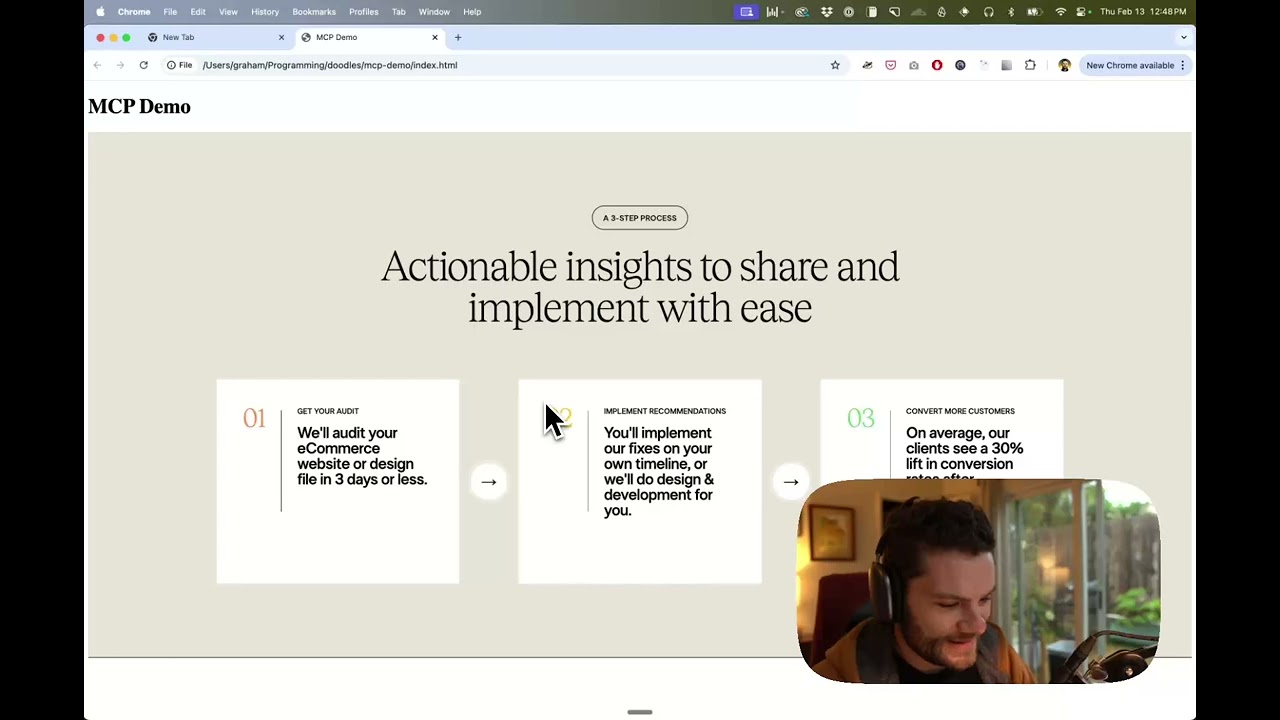
观看使用 Figma 设计数据在 Cursor 中构建 UI 的演示
工作原理
- 打开 IDE 的聊天窗口(例如 Cursor 中的代理模式)。
- 粘贴指向 Figma 文件、框架或组的链接。
- 要求 Cursor 对 Figma 文件执行某些操作——例如,实现设计。
- Cursor 将从 Figma 获取相关的元数据,并使用它来编写你的代码。
此 MCP 服务器专门设计用于 Cursor。在回复来自 Figma API 的上下文之前,它会简化和翻译响应,以便仅向模型提供最相关的布局和样式信息。
减少提供给模型的上下文量有助于提高 AI 的准确性,并使响应更相关。
开始使用
许多代码编辑器和其他 AI 客户端使用配置文件来管理 MCP 服务器。
可以通过将以下内容添加到配置文件来配置 figma-developer-mcp 服务器。
注意:你需要创建一个 Figma 访问令牌才能使用此服务器。有关如何创建 Figma API 访问令牌的说明,请参见此处。
MacOS / Linux
{
  "mcpServers": {
    "Framelink Figma MCP": {
      "command": "npx",
      "args": ["-y", "figma-developer-mcp", "--figma-api-key=YOUR-KEY", "--stdio"]
    }
  }
}
Windows
{
  "mcpServers": {
    "Framelink Figma MCP": {
      "command": "cmd",
      "args": ["/c", "npx", "-y", "figma-developer-mcp", "--figma-api-key=YOUR-KEY", "--stdio"]
    }
  }
}
如果你需要有关如何配置 Framelink Figma MCP 服务器的更多信息,请参阅 Framelink 文档。
Star 历史
<a href="https://star-history.com/#GLips/Figma-Context-MCP"><img src="https://api.star-history.com/svg?repos=GLips/Figma-Context-MCP&type=Date" alt="Star History Chart" width="600" /></a>
了解更多
Framelink Figma MCP 服务器简单但功能强大。通过在 Framelink 网站上了解更多信息,充分利用它。
推荐服务器

Playwright MCP Server
一个模型上下文协议服务器,它使大型语言模型能够通过结构化的可访问性快照与网页进行交互,而无需视觉模型或屏幕截图。

Neon MCP Server
用于与 Neon 管理 API 和数据库交互的 MCP 服务器

mcp-server-qdrant
这个仓库展示了如何为向量搜索引擎 Qdrant 创建一个 MCP (Managed Control Plane) 服务器的示例。

AIO-MCP Server
🚀 集成了 AI 搜索、RAG 和多服务(GitLab/Jira/Confluence/YouTube)的一体化 MCP 服务器,旨在增强 AI 驱动的开发工作流程。来自 Folk。
https://github.com/Streen9/react-mcp
react-mcp 与 Claude Desktop 集成,能够根据用户提示创建和修改 React 应用程序。

MCP Atlassian
适用于 Atlassian Cloud 产品(Confluence 和 Jira)的 Model Context Protocol (MCP) 服务器。此集成专为 Atlassian Cloud 实例设计,不支持 Atlassian Server 或 Data Center 部署。

any-chat-completions-mcp
将 Claude 与任何 OpenAI SDK 兼容的聊天完成 API 集成 - OpenAI、Perplexity、Groq、xAI、PyroPrompts 等。

MySQL MCP Server
允许人工智能助手通过受控界面列出表格、读取数据和执行 SQL 查询,从而使数据库探索和分析更安全、更有条理。
browser-use MCP server
一个由人工智能驱动的浏览器自动化服务器,它实现了模型上下文协议,从而能够使用自然语言控制网页浏览器,以执行诸如导航、表单填写和视觉交互等任务。

mcp-codex-keeper
作为开发知识的守护者,为 AI 助手提供精心策划的最新文档和最佳实践访问权限。